.png) Get Started
Get Started
Support on Discord usually breaks in a familiar order. A few channels fill with repeat questions. Moderators start answering the same issue over and over. Someone asks a high-stakes account or billing question in public. Another user gets no answer for hours because the team is buried in noise.
That's the point where teams often start searching for an AI Discord bot.
The mistake is treating that bot like a smarter autoresponder. What scales is a support system: one that knows your documentation, answers predictable questions in-channel, routes edge cases to humans, and gives the team enough visibility to improve the flow instead of babysitting it.
An AI Discord bot only helps when it reduces operational load without making the community feel ignored. Plenty of bots can generate text. Far fewer can support a growing server without creating new moderation, privacy, and trust problems.
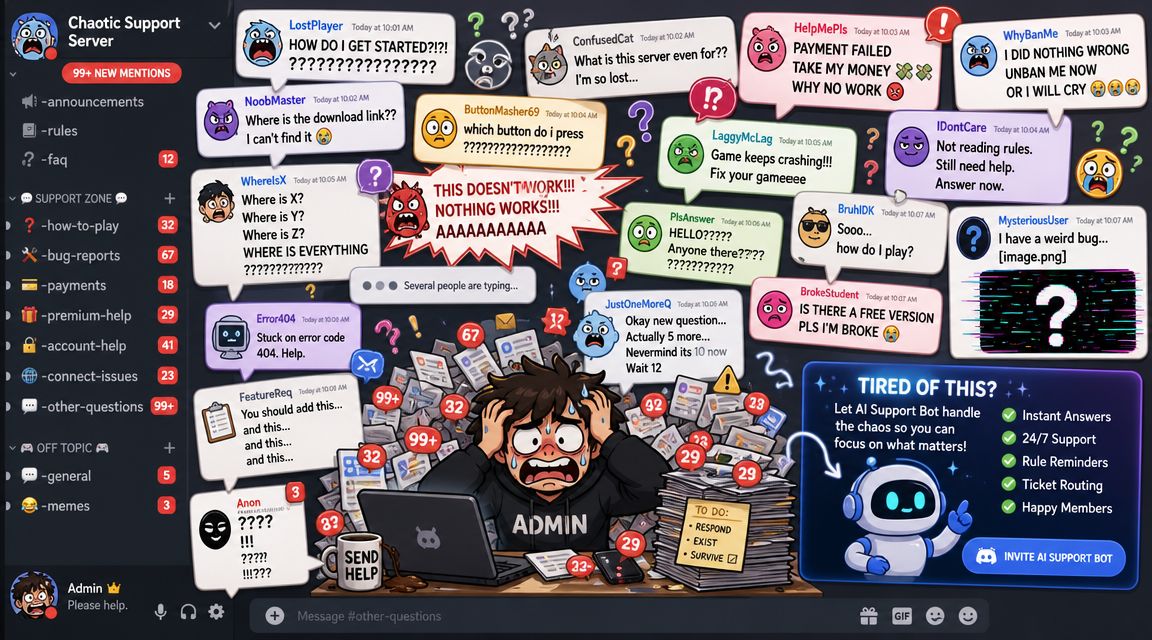
The pressure usually shows up before the tooling does. Public channels become accidental help desks. Staff answer basic onboarding questions all day, then miss the one thread that needed a careful human reply. Users don't care whether the gap came from bad staffing, weak triage, or a missing bot. They just see inconsistent support.
Three things usually fail together:
That's why the useful framing isn't “How can a bot answer questions?” It's “How can the team build support infrastructure inside Discord?”
Practical rule: If the bot can't preserve trust, it isn't reducing workload. It's just moving the mess around.
The trust issue is real. Discord reportedly banned more than 100,000 AI chatbots in one enforcement wave tied to allegations that message content was used for model training, according to reporting on the enforcement wave. That matters for one reason above all others: teams can't treat data handling as an afterthought.
A workable setup combines several moving parts:
Teams comparing approaches often benefit from seeing how others package public AI identities and support presence. One simple reference point is to find dnanswer_ai on DNAnswer, which gives a sense of how AI support personas are presented in community contexts.
The strongest AI Discord bot setups don't feel like chat gimmicks. They feel like a staffed system with automation in the right places.
The most expensive mistake usually happens before setup starts. Teams jump straight into prompts, model choice, or bot personality without deciding who will own the system, maintain it, and update the knowledge behind it.
A support bot is now closer to an application than a script. Modern AI Discord bots can ingest a knowledge base, respond in-channel, and manage roles because Discord's platform evolved around gateway intents and richer OAuth permissions, as described in this overview of Discord chatbot setup and capabilities.
This choice sets the shape of everything that follows.
OptionWorks well whenMain trade-offBuild in-housethe team needs custom workflows, unusual permissions, or deep internal integrationsengineering time, maintenance burden, and ongoing QABuy a managed platformthe team needs faster rollout, easier knowledge syncing, and less infrastructure ownershipless low-level control over every part of the stackHybrid approachthe team wants a managed support layer plus custom automations around itoperational complexity across two systems
Custom builds appeal to technical teams because they promise control. That control is real, but so is the upkeep. Someone has to maintain intents, permissions, rate limits, content ingestion, model behavior, fallback logic, and handoff workflows.
Managed tools make more sense when support volume is already painful and the team needs to move quickly. For example, Discord bot builder options are worth reviewing when the primary requirement is support coverage, not bot engineering as a side project.
A complete framework needs four components working together.
This is the Discord-facing part. It listens for events, posts replies, handles permissions, and triggers workflows. Without a stable application layer, everything else becomes fragile.
This is where most bots either become useful or dangerous. If the bot doesn't pull from current help content, policy docs, product notes, and known issue guidance, it will sound confident while being wrong.
This layer decides whether to answer, search, summarize, ask a clarifying question, or escalate. A lot of failed implementations skip this and let the model improvise too often.
The right architecture makes the bot boring in production. Boring is good. It means predictable answers, clean routing, and fewer surprises for moderators.
This is the safety net and the quality engine. A support system without escalation turns every hard case into a public experiment.
One tool that fits this category is Mava. It provides AI support across Discord and other channels, connects to existing knowledge sources, and routes conversations into a shared inbox for human follow-up. That's useful when the team needs one operational layer instead of separate bots, docs sync, and ticket tooling.
The right architecture doesn't chase maximum automation. It protects the team from avoidable work while making sure humans still own the cases that need judgment.
Good bot setups fail for boring reasons. Permissions are wrong. Message Content Intent isn't enabled. The bot can post but can't read enough context to answer properly. Or a background job blocks message handling and the server thinks the bot is unreliable.
The fix is to treat setup like application deployment, not like installing a plugin.
The standard setup begins with creating a Discord application in the Developer Portal, adding a bot user, and configuring the permissions that match the support job. Teams usually need the bot to send messages, read message history, and view channels. If slash commands or other interactions are part of the workflow, those need to be included too.
For a straightforward walkthrough of the invite and permission side, this guide on adding a bot to Discord is a useful companion.
A few checks matter more than people expect:
Gateway intents decide what events the bot receives. For support workflows, the critical one is often Message Content Intent, because without it the bot may not be able to inspect user questions in the way the support flow expects.
That doesn't mean every bot needs every intent. It means the team should map intents to use cases.
Over-requesting intents creates unnecessary risk. Under-requesting them creates a bot that looks online but can't do the job.
A production-ready bot often combines a gateway library such as discord.js with low-latency LLM services and scheduled jobs through node-cron, in a design that separates message handling from background tasks to avoid failures under heavy traffic, as shown in this technical deep dive on a multifunctional Discord bot.
That architecture choice matters because support load is spiky. Launches, incidents, game updates, or billing confusion can flood a server all at once.
LayerWhat it should handleGateway listenernew messages, mentions, command triggers, thread eventsAI service workerretrieval, answer generation, confidence checksSchedulerdigest posts, stale-ticket reminders, cleanup tasksQueue or rate controlbursts, retries, concurrency limits
Keep message handling thin. Let it receive, validate, and route. Heavy work belongs in services outside the event loop.
A staging server should mirror the support channels, roles, and permission patterns of production as closely as possible. It doesn't need the same member volume. It does need the same friction points.
Test for the things teams often overlook:
A stable AI Discord bot starts with Discord fundamentals done correctly. Most “AI problems” in early deployments are basic configuration problems wearing a smarter label.
Most bots sound capable for the first few minutes. Then someone asks a product-specific question, references an old announcement, or combines two edge cases in one message. That's where generic model knowledge stops being useful.
The answer isn't more personality prompting. The answer is grounding.
For support, the safest pattern is retrieval-augmented generation. The bot searches the team's own material first, finds the most relevant content, and only then drafts a reply from that context.
That changes the role of the model. It stops acting like an all-knowing assistant and starts acting like a responder working from approved references.
A useful explainer on structuring that source layer is this guide to building a chatbot knowledge base.
Good source material usually includes:
Bad source material includes stale docs, contradictory announcements, and opinion-heavy content that was never intended as policy.
A support bot doesn't need more words. It needs better source material.
A practical design pattern is to ingest text, use embeddings to find relevant content, and return a ranked result. In a Discord expert-finder study, that retrieval-first approach achieved over 50% precision for retrieved users being actual experts, according to the study paper. That doesn't mean every support answer will hit the same result. It does show why ranking relevant material before generating a response is a stronger pattern for trust-sensitive workflows.
The operational lesson is simple. Don't ask the model to answer from memory if the answer should come from documentation.
Later in the build, this kind of grounding matters even more once real users begin asking messy questions in natural language. The video below gives useful context on how teams think about training and operationalizing AI assistants in practice.
Training isn't a one-time event. Community support changes every time the product changes, the rules change, or the team notices a confusing gap in documentation.
A healthy maintenance loop looks like this:
When teams say their AI Discord bot “got worse,” the underlying problem is often neglected source content, not model quality.
The hardest part of support automation isn't answering easy questions. It's deciding when the bot should stop.
That decision separates a helpful AI Discord bot from one that frustrates users and burns staff time cleaning up after it. The best systems handle repetitive, high-volume work well, then hand off quickly when context, judgment, or empathy matters more than speed.
Discord's recent AI direction has emphasized moderation and summaries, while broader bot coverage often leans toward open-ended chat. The more useful distinction for support is operational: AI works best on repetitive questions, multilingual rule enforcement, and catch-up summaries, while humans are still needed when answers must stay tightly grounded in a knowledge base and mistakes carry consequences, as discussed in this analysis of Discord's AI direction.
That maps well to day-to-day support reality.
Let the bot handle itRoute to a humanpasswordless login steps already documentedaccount-specific issues requiring investigationserver rules and where to find thembilling disputes or refund requestsinstall and onboarding questionsangry users, policy appeals, abuse reports“what changed?” summaries after updatesanything with conflicting or missing source material
Too many teams rely on vague confidence thresholds they can't inspect. Support ops usually needs simpler, auditable rules.
Strong escalation triggers include:
The handoff should happen before trust drops, not after the user has repeated the issue three times.
A bad handoff makes the user start over. That's one of the fastest ways to make automation feel cheap.
The handoff package should include:
That context can route into a shared inbox, a private ticket, or an internal moderator queue. The exact destination matters less than continuity. Human responders should see the path the bot already took.
Public channels benefit from fast, visible answers. They also carry more reputational risk. If the topic is sensitive or likely to branch into account-level troubleshooting, the bot should move the conversation into a private flow early.
Private support flows can tolerate more back-and-forth. They're a better place for multi-step diagnostics, attachments, and agent intervention.
A practical rule set often looks like this:
Automation works when users feel helped, not contained. The moment the bot starts defending its own answer instead of solving the problem, the system is upside down.
Launch day isn't the finish line. It's the point where assumptions finally meet real users.
Teams that treat deployment like a one-time release usually end up with two bad options: trust the bot too much, or stop trusting it at all. Strong support operations run the bot as a continuous feedback system.
A technically working bot can still fail operationally. It might answer too slowly in public threads, overuse long explanations, or escalate easy questions because the retrieval layer is brittle.
Pre-launch testing should include realistic support scenarios:
A staging environment helps, but test transcripts matter more than test code here. The team should read actual bot conversations and ask one practical question: would a user trust this exchange?
A phased release is safer than flipping support across the entire server at once.
This reduces blast radius and makes feedback usable. If the bot fails everywhere at once, the team learns very little except that people are annoyed.
Monitor the conversations the bot almost handled correctly. That's where the best improvements usually come from.
The metrics worth watching are the ones that tell the team what to fix next. Common examples include AI resolution rate, escalation frequency, response times, and satisfaction trends. The exact dashboard can vary. The important part is using those signals to improve routing, documentation, and fallback behavior.
A simple review table helps:
SignalWhat it often meansHigh escalations on one topicthe docs are weak, outdated, or hard to retrieveFast answers but low satisfactionthe bot is responding quickly without solving the real issueRepeated moderator correctionsthe answer policy is loose or source ranking is poorLow usage despite good coverageusers don't know when the bot is available or don't trust it yet
The strongest support teams run a recurring review process with three inputs:
This turns monitoring into operations, not reporting.
A mature AI Discord bot doesn't win because it answers everything. It wins because the team can see what it handled, what it shouldn't have handled, and how the whole support system is changing over time.
If Discord support is already straining the team, Mava is one option for turning that workload into a managed system with AI answers, human handoff, and shared inbox workflows across community channels.
.png)
.png)
.png)
