.png) Get Started
Get Started
Support usually breaks long before a queue officially “fails.” It starts with moderators answering the same login question in Discord for the tenth time before lunch, someone in Telegram asking for an order update that already got answered in web chat, and a customer success lead copying the same workaround into Slack threads all week. Nobody is slacking. The system is.
That's the tipping point most community-driven teams hit. Manual support across Discord, Slack, Telegram, and web chat feels manageable right up until it doesn't. Then the signs pile up fast. Answers become inconsistent, private issues leak into public channels, and the people who should be solving edge cases spend their time repeating Tier-1 guidance.
Support automation has moved past the experimental stage. NiCE notes projections that up to 80% of customer service interactions will be handled by AI by 2025, and Nextiva reports that 84% of business leaders believe automation is now essential for a successful customer experience in this customer service automation overview. For community teams, that doesn't mean replacing humans. It means building infrastructure that can keep pace with demand.
A strong self-service layer helps before tickets ever reach a human. Teams thinking about that part of the stack can look at these self-service support best practices.
A familiar pattern shows up in community-led companies. Public channels attract product questions, billing issues, bug reports, and account complaints into the same stream. The team responds wherever the message lands because that's what early-stage support often looks like. Speed matters more than structure, until structure becomes the thing that's missing.
The cost isn't just slower replies. It's fragmented context. A user posts in Discord, follows up in email, then sends a DM on Telegram because nobody saw the original thread. Without a unified workflow, agents hunt for history instead of solving the issue.
Teams rarely need “more hustle” at this point. They need a support system that can separate repeatable work from judgment-heavy work.
Community channels intensify the problem because they're conversational by design. In a help desk, users expect forms, queues, and ticket numbers. In Discord or Slack, they expect immediate, natural help. That expectation is reasonable, but it becomes expensive when every message demands manual triage.
Three warning signs usually show that manual support has run its course:
That's why learning how to automate customer support matters more in community environments than in standard inboxes. Automation isn't just about reducing ticket volume. It creates consistency across public and private channels, gives users 24/7 entry points, and protects human time for situations that actually need judgment, empathy, or product expertise.
Most failed automation projects start in the same place. The team picks a bot, writes a few prompts, turns it on in Discord, and hopes the AI figures the rest out. It won't.
Practical guidance consistently points to a staged approach. Comm100's guidance emphasizes that many businesses focus on the bot interface too early, while the more effective path is to first identify repetitive, high-frequency tasks like password resets, order tracking, and Tier-1 FAQs, then structure the data so the bot can resolve them before the interface is designed, as explained in this guide to customer service automation.
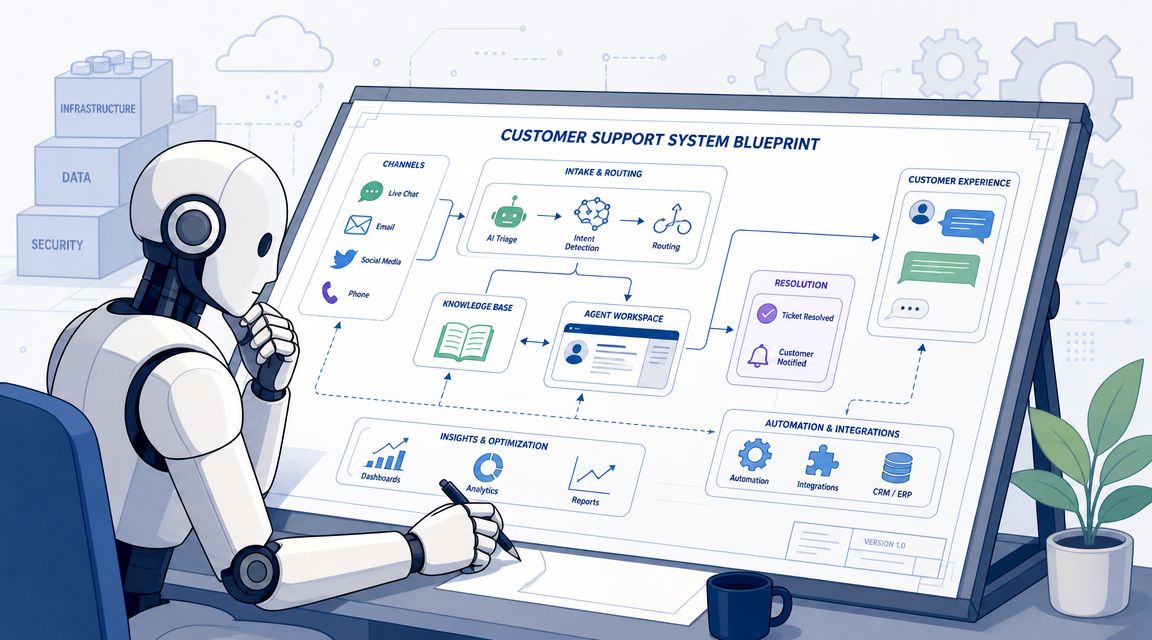
Start with transcripts, ticket logs, forum posts, and mod mail. For community support, that usually means pulling data from Discord threads, Telegram DMs, Slack channels, website chat, and whatever help desk already exists.
Then group conversations by issue type. Don't overcomplicate the taxonomy. A useful first pass often looks like this:
Giva recommends starting with categories that represent more than 5% of total support volume and are handled with roughly the same response most of the time, then measuring results on that initial workflow before expanding in this support automation implementation article. That threshold is useful because it keeps teams from automating edge cases first.
The right first workflow is boring. That's a feature, not a problem.
A strong candidate usually has these traits:
Good first automations include password resets, account access checks, knowledge base article suggestions, and ticket routing by topic. Bad first automations include refund disputes, trust and safety reports, or any issue where emotional tone matters as much as factual accuracy.
Practical rule: If agents regularly need to “read between the lines,” that workflow isn't ready for full automation.
Community teams often have knowledge spread across GitBook, Notion, Google Docs, pinned messages, old forum answers, and internal playbooks. AI can only resolve what it can reliably retrieve. If the source material is outdated or contradictory, the bot will mirror that confusion at scale.
That's why the knowledge base matters as much as the workflow design. Teams that need to tighten their documentation structure before rollout can use this guide on how to optimize a knowledge base for AI bots.
A practical cleanup checklist helps:
Once that groundwork is in place, automation stops being a bot experiment and starts becoming an operational system.
Community support breaks when the tooling treats every channel like an isolated inbox. Discord threads, Telegram groups, Slack Connect messages, and web chat sessions are often parts of the same customer journey. A simple chatbot attached to one surface won't solve that. It usually adds another silo.
Basic bots can answer a few FAQs. Legacy ticket bots can collect forms. Standalone web chat can handle website conversations. The problem is what happens when a user moves between them.
An agent sees half the story. The moderator only sees the public post. The support lead can't tell whether the AI resolved the issue or just delayed escalation. That's why community-driven teams should favor a unified AI support platform over a patchwork of single-channel tools.
A useful evaluation lens is simple. Can the platform keep conversation context, agent workflow, and reporting in one place across the channels customers already use?
The shortlist should get narrow quickly. For this use case, the platform needs to support both automation and actual support operations.
Key criteria include:
Teams comparing available options can review different categories in this overview of customer service automation software.
A lot of teams don't start from zero. They already have a Discord ticket bot, a separate help desk, maybe a Telegram support process run manually by mods. The mistake is trying to preserve every old workflow exactly as it exists.
Migration works better when the team keeps the support logic but changes the operating model. Preserve the categories, macros, and escalation rules that help. Drop the workarounds that only existed because the old tools were limited.
One practical example is using a platform such as Mava, which supports Discord, Telegram, Slack, and web chat in a shared environment, imports existing knowledge sources, and lets AI handle repetitive questions before handing off to human agents when needed. That matters most for teams trying to unify community support and website support instead of managing them separately.
The platform choice should reduce context switching. If it gives the team one more dashboard and one more inbox, it isn't solving the core problem.
A modern support stack should make it easier to automate customer support across channels, not just make each channel slightly less manual.
A good first automation flow doesn't try to sound smart. It tries to be reliable.
Salesforce defines automated customer service as technology that performs routine service tasks without direct human involvement, such as answering simple questions, recommending knowledge base articles, and routing complex requests to the right agent. The same guidance stresses keeping a clear path to escalation, which is outlined in this automated customer service guide.
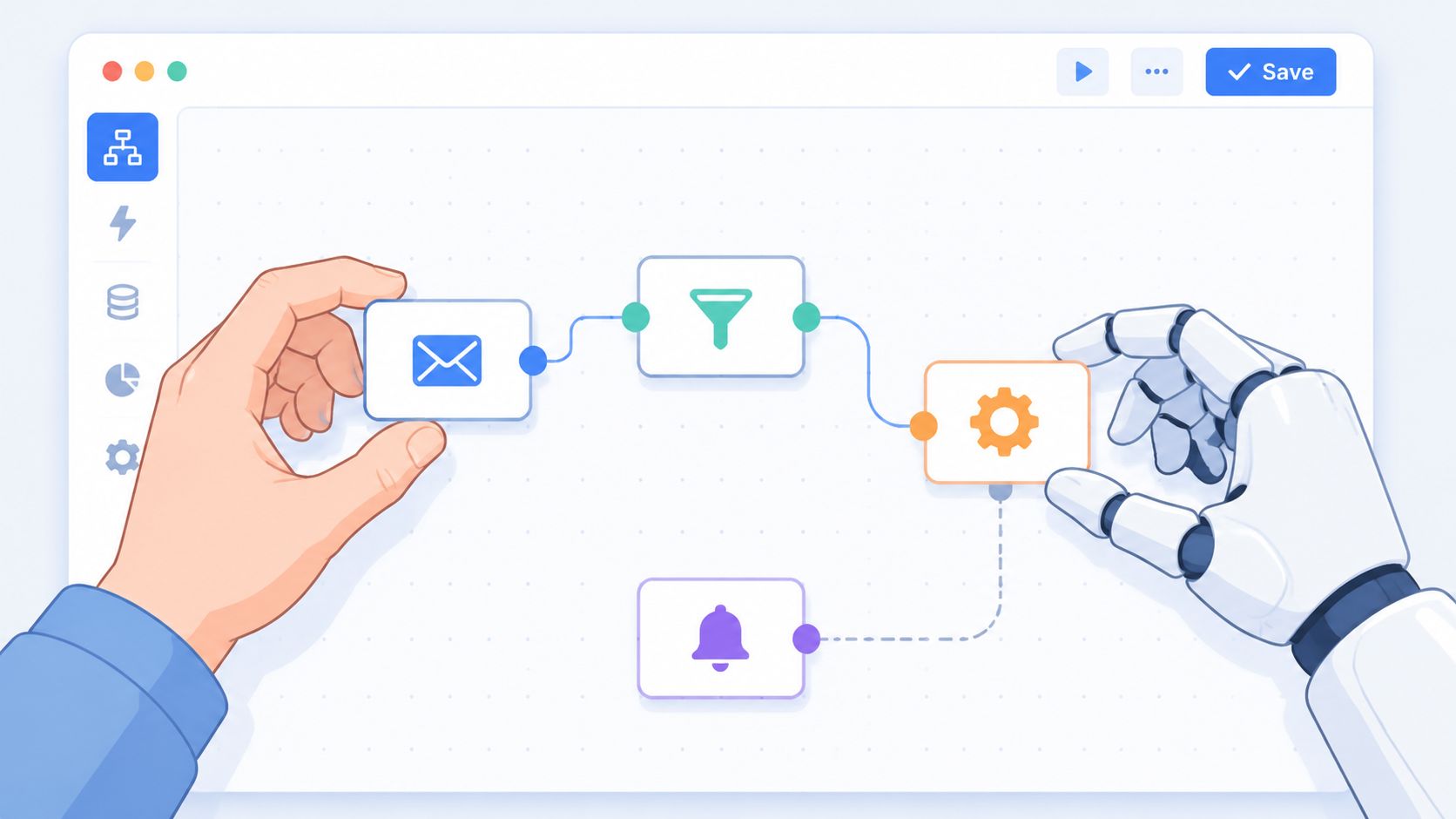
The first job is teaching the AI where truth lives. That means importing approved knowledge from the website, docs, help center, and internal support content that's safe to expose. If the AI can't retrieve a trustworthy answer, no amount of conversational polish will fix the flow.
Once the content is connected, test retrieval against real prompts from your queue. Use the messy versions people write in community spaces, not clean textbook examples. “can't log in,” “my role vanished,” and “why is wallet verification broken again” are better test inputs than formal support phrasing.
Keyword triggers still help, especially for deterministic actions, but they shouldn't be the whole design. Community users write casually, abbreviate constantly, and often drop into a thread halfway through a problem.
A practical first flow often follows this shape:
Detect the request type
Identify whether the question is informational, transactional, or sensitive.
Offer the shortest valid resolution
Return one answer, one article, or one next step. Don't flood the user with five links.
Collect only necessary context
Ask for order number, wallet address, workspace name, or account email only if it changes the next action.
Escalate when confidence is low or risk is high
If the issue touches security, billing exceptions, harassment reports, or unclear technical failures, route it out.
Many teams overbuild. They create long branching trees for problems that could be handled with one good answer and a human fallback.
If a flow needs a decision tree longer than the process it replaces, the team is automating the wrong thing.
Users don't hate bots. They hate dead ends.
The handoff has to be explicit. “Talk to a person” should be available early, not buried after repeated failed attempts. The human side also needs context. The receiving agent should see the transcript, the detected issue type, any collected fields, and which article or answer the AI already served.
A simple handoff pattern works well:
That handoff becomes even more important in public channels, where the flow may need to move from a Discord thread into a private ticket or from a Telegram group into direct messages.
A short demo helps make these flow patterns more concrete:
The first release should feel almost conservative. One or two workflows. Clear boundaries. Fast review cycles.
A solid launch checklist includes:
Well-designed flows don't try to eliminate human support. They keep repetitive work out of human hands so the team can spend its time where judgment matters.
Automation advice gets generic fast because most guides assume support happens in one help widget. Community support doesn't. Each channel changes what users expect, what context is visible, and how handoff should work.
Score's guidance on maintaining the human touch highlights a point many teams learn the hard way. Handoff design can't be an afterthought, especially in community channels. It recommends building “talk to a person” triggers from day one and reviewing transcripts weekly to find where users get stuck in this guide to automating customer service without losing human touch.
Discord is the most operationally demanding of the major community channels because support starts in public. Users post in channels, mention moderators, reply in threads, and often expect near-real-time answers.
That creates a two-part automation model:
A few tactics work especially well on Discord:
Telegram groups move fast and can turn chaotic when support mixes with community chatter. Automation here should focus on containment.
In large groups, the bot should handle lightweight guidance, route repetitive questions, and quickly redirect private-account issues into DM or a structured ticket flow. In private chats, it can do more. That's where account-specific troubleshooting and guided intake usually fit best.
One mistake shows up often in Telegram support. Teams let the bot keep trying to resolve cases that clearly require review because they want to preserve speed. That backfires. In Telegram, unresolved loops damage trust quickly because the conversation remains visible and ongoing.
Public channels are excellent for discovery and first response. They're poor places to complete sensitive support work.
Slack support usually means one of two environments. Either it's an internal support desk for employees, or it's a B2B customer channel such as Slack Connect. Those are very different settings, but both reward context-rich automation.
For internal support, automation should route requests by function. Access, IT, HR ops, finance, and product enablement all need different ownership. For customer-facing Slack, the AI should understand account context and preserve the thread so an agent can step in without restarting the conversation.
Useful Slack patterns include:
Web chat often becomes the “official” support channel while Discord or Telegram remains the primary support volume center. That split is unnecessary.
The smarter model is unified operations. Let web chat use the same knowledge, the same AI behavior, and the same inbox logic as community channels. That way a customer who starts on the website and follows up in Discord doesn't force the team to reconstruct the issue manually.
The operational win comes from consistency. Different channels can have different entry behavior, but they shouldn't have different truths.
Automation isn't finished when the bot starts replying. That's when the actual work begins.
Implementation guidance from TDS Global recommends phased rollout, controlled testing, integration with existing systems, and continuous optimization. In the benchmark data cited there, well-tuned automation produced a 37% reduction in first response time and a 52% reduction in resolution time in this customer support automation article. Those gains don't come from turning everything on at once. They come from careful iteration.
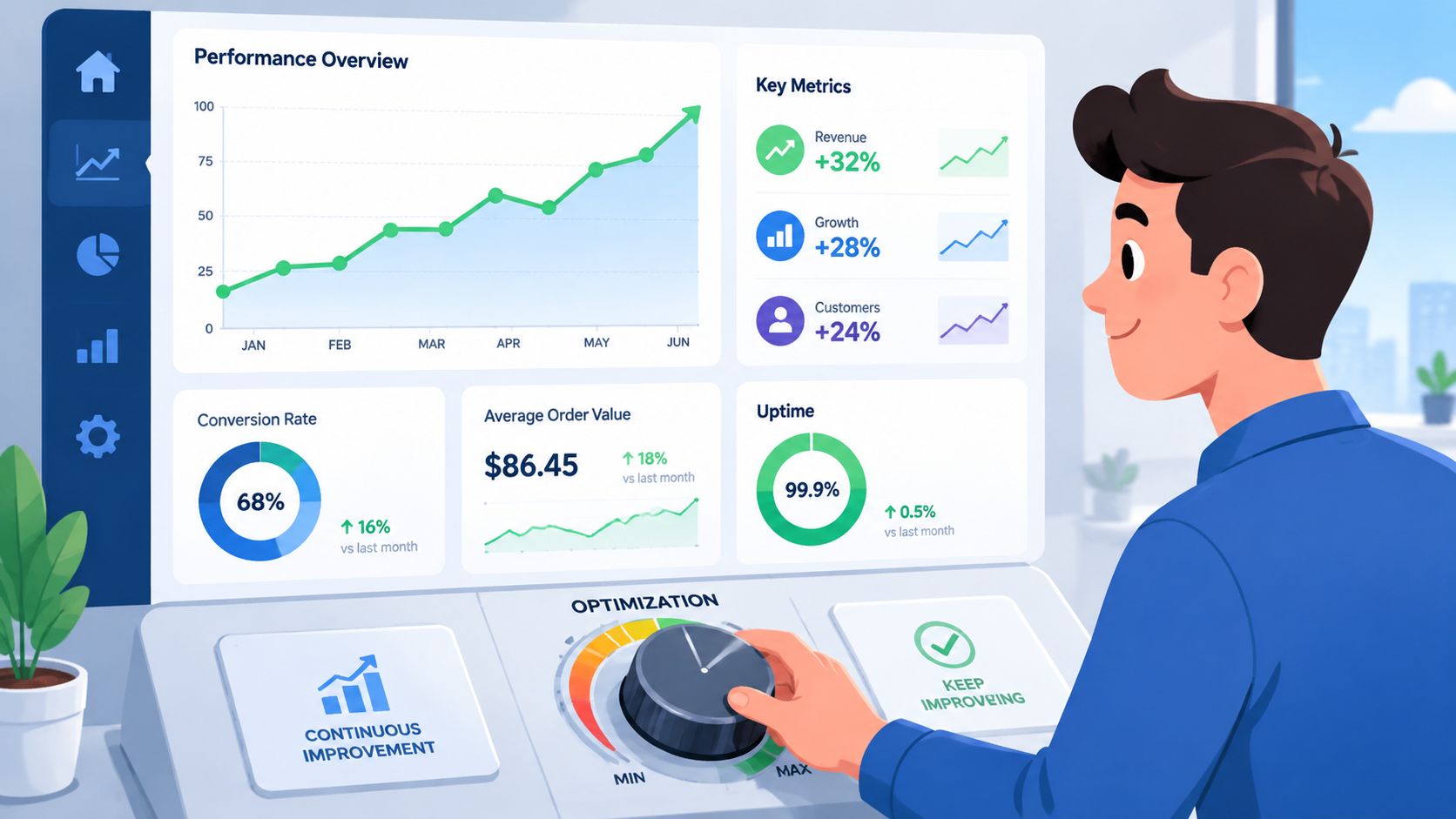
Salesforce recommends measuring before and after automation using KPIs such as response time, average handle time, and agent admin time, plus monitoring bot conversations for recurring failures, as noted earlier. For community support, those metrics matter most when paired with direct transcript review.
Here's a practical KPI set to track from the first rollout.
| KPI | What It Measures | Goal |
|---|---|---|
| First response time | How quickly users get an initial reply across community and web channels | Reduce waiting time without lowering answer quality |
| Resolution time | How long it takes to fully solve the issue | Shorten time to solution for routine requests |
| AI resolution rate | How often the AI resolves an issue without human takeover | Increase only when accuracy stays high |
| Escalation rate | How often conversations move to human agents | Confirm handoffs happen on the right issue types |
| Agent admin time | Time spent tagging, routing, and doing repetitive support work | Free agents for complex cases |
| Satisfaction trend | Whether users feel the support experience is helpful | Protect trust while scaling |
Numbers point to problems. Transcripts explain them.
A healthy weekly review usually asks:
That review should result in concrete edits. Tighten one article. Rewrite one fallback message. Add one routing rule. Remove one automation that creates noise.
Good automation teams don't chase maximum deflection. They chase the highest percentage of issues resolved correctly, with the least friction for users and agents.
Leaders who treat automation as a living support layer usually get better outcomes than teams that treat it like a one-time bot launch. That's especially true in community environments, where product language, user behavior, and support volume change constantly.
Teams that want to automate customer support across Discord, Telegram, Slack, and web chat without splitting operations across multiple tools can look at Mava. It gives community-driven companies a shared inbox, AI agents trained on existing knowledge sources, automation for repetitive support questions, and human handoff across channels so support stays consistent as volume grows.
.png)
.png)
.png)
