.png) Get Started
Get Started
AutoMod handles rule-based moderation, Mava handles support questions, and Midjourney and Turing cover image generation and open-ended chat. Six picks across the categories that actually matter for a Discord server in 2026, including a note on why Clyde no longer belongs on this kind of list.
I used five filters for this list: whether the bot is still available in Discord today, whether it solves a real server problem, how much setup work it takes, whether it helps moderators or support teams save time, and whether the AI adds something more useful than a gimmick. I also excluded tools that are mainly historical footnotes or too limited to recommend without caveats.
That matters because Discord is now large enough that automation decisions are operational decisions, not just fun add-ons. By 2025, Discord had more than 656 million registered users, over 200 million monthly active users, and roughly 19 million weekly active servers according to this roundup of Discord platform statistics. In my view, the best bots are the ones that remove repetitive work or support a clear creative workflow; novelty alone does not hold up once a server gets busy.
I also leaned toward bots that fit how Discord development has matured. A 2026 guide on modern Discord bot design recommends treating bots like real products, keeping business logic outside Discord, and relying on slash commands and structured interactions instead of brittle message parsing. That is a useful lens for readers too: a bot worth adding should feel dependable, not experimental.
A worthwhile bot does one of four things well: it reduces moderation load, answers repetitive questions, gives members a reliable chat assistant, or enables creation that people will use. If a bot does not save time, improve response quality, or make the server noticeably more engaging, it usually becomes clutter.
For small servers, a lightweight tool may be enough. For larger communities, support-heavy products, gaming groups, and education spaces, the bar is higher. You need clear permissions, predictable behavior, and a defined role for the bot in your channels. I think many server owners go wrong: they add a bot because it sounds impressive, then remove it later because nobody knows when to use it.
There is also a market reality behind that. Bot adoption on Discord is massive, but attention concentrates around tools that solve repeatable admin problems. One 2025 data roundup reported MEE6 on more than 21 million servers, illustrating how strongly server owners value automation that standardizes moderation and engagement at scale in Discord bot usage data. AI bots earn a place only when they meet that same standard.
Update 2026: Discord has discontinued Clyde.
Clyde matters historically because it was Discord's own early signal that conversational AI could live inside servers, but it is no longer a current recommendation. The original pitch was lightweight interaction: casual Q&A, playful responses, and a more social chatbot feel inside Discord itself. That made it interesting at the time, especially because it came from the platform rather than a third-party developer.
Today, though, Clyde should not anchor a list of the best Discord bots because readers cannot build around it. Once a bot is discontinued, its feature set stops being a practical decision point and becomes background context. A shortlist should point people toward tools they can deploy now rather than highlight a dead end.
What Clyde's removal means in practice is simple: if you want AI in your server, choose the category first, not the nostalgia pick. Use native or specialized tools for moderation, a support-focused bot for repetitive product questions, a general chat assistant for brainstorming and coding help, and an image bot for creative channels. That structure reflects why admins add bots in 2026.

Moderating a server gets harder fast once message volume rises, which is why Discord's native AutoMod is worth evaluating before you add a separate moderation bot. Discord lets admins configure keyword filters, mention spam protection, and rule-based safeguards directly in server settings through its AutoMod help documentation. For many small and midsize communities, that is enough to catch obvious spam, slurs, scam phrases, and repetitive bad behavior without introducing another tool to manage.
Where native moderation works best is straightforward rule enforcement. If your biggest issues are invite spam, banned words, excessive mentions, or users posting known prohibited terms, keyword filters are fast and predictable. They are also easy to explain to moderators: a phrase matched a rule, so the message was blocked or flagged. In my experience, server owners often underestimate how useful this kind of boring moderation is until the first spam wave hits.
The limitation is context. Keyword filters only know that a phrase appeared; they do not always know whether it was used abusively, quoted for discussion, or referenced in a harmless edge case. That leads to false positives in educational communities, support servers, fandoms, and any space where people discuss sensitive topics rather than using them as attacks. Practical example: a health, identity, or policy discussion can trigger the same rule that was intended to stop harassment.
That is why context-aware moderation is a different category from keyword blocking. Discord has previously introduced AI-assisted safety features in limited rollouts, but the broader admin decision remains the same: if your server needs nuance, you need more than a static word list. Intent-based systems try to judge whether a user is threatening, evading filters, or escalating a conflict rather than just matching text. They are better for gray-area moderation, but they also require tighter oversight because mistakes feel more arbitrary to members.
A useful way to decide is to look at the cost of a false positive versus the cost of a miss. Gaming and meme communities may tolerate occasional misses if obvious spam is removed quickly. Product communities, creator memberships, and professional groups usually care more about precision because overblocking legitimate conversation creates support headaches. I think native Discord tooling is a strong baseline, but once your moderators spend time reviewing edge cases every day, that is the point where a more advanced AI moderation bot starts earning its keep.
Verdict: AutoMod is best for small to midsize servers that need reliable first-line protection against spam and clear rule violations. Larger or more sensitive communities benefit from native AutoMod as a foundation, then add specialized moderation workflows only when context and scale make the simple approach too blunt.

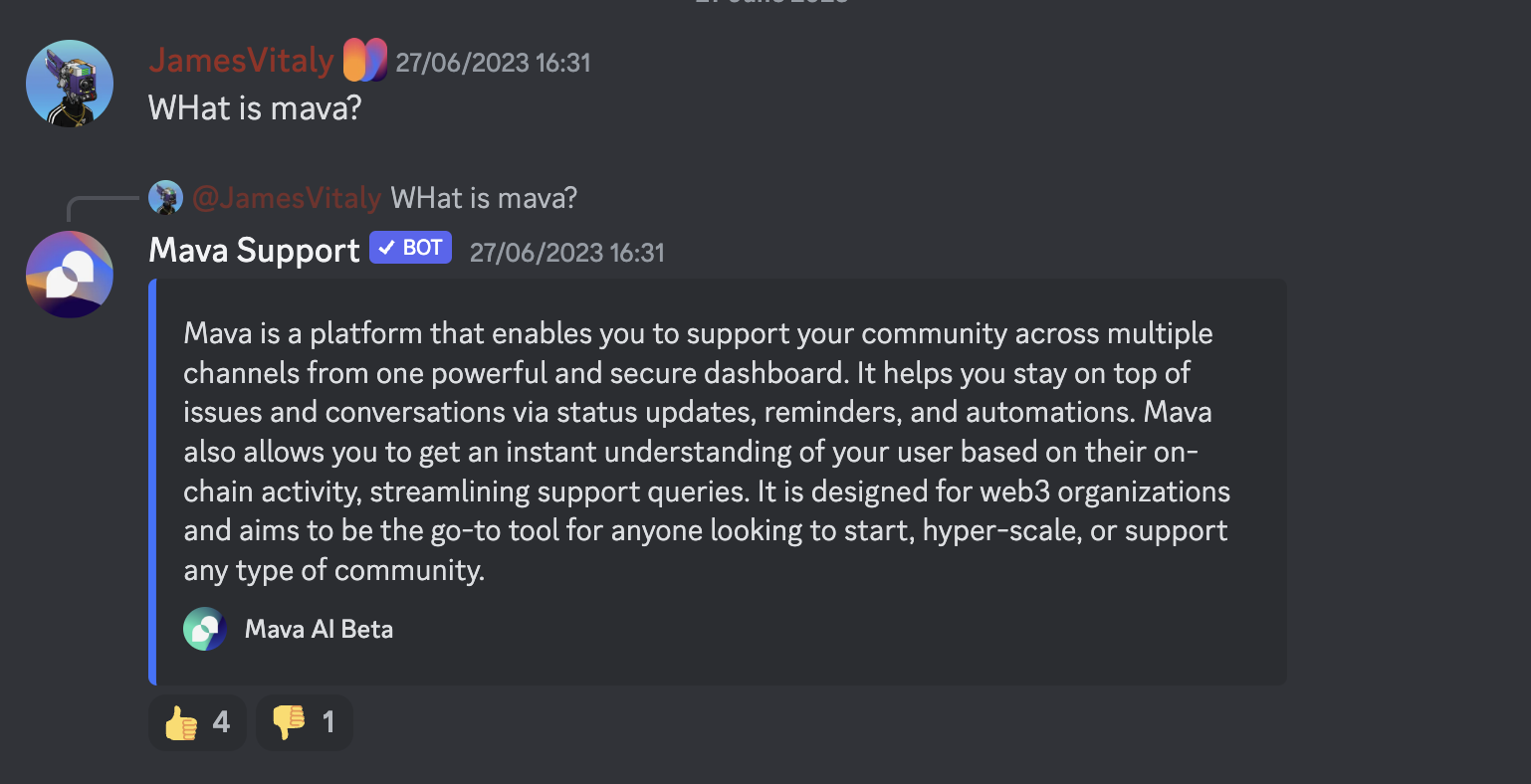
The majority of large Discord servers include FAQ sections, but often community members still ask the same questions publicly or through tickets because they want a quick answer without leaving the server. That is where Mava is notably different from a generic chatbot: it is designed for support operations, not just conversation.

A good use case is repetitive, documentation-backed support. Mava can deflect questions like "How do I reset my password?", "Where do I find pricing?", "How do I connect my wallet or account?", "Why is my order pending?", or "Which plan includes this feature?" instead of routing every basic question to moderators. It learns from existing support content such as GitBook docs, FAQs, Google Docs, and website pages, so the AI answer is grounded in your own materials rather than improvising from general web knowledge.
Implementation matters here. In public channels, the best setup is usually to let Mava answer common questions that many members are likely to repeat, especially onboarding and product-usage issues. In private tickets, it can handle account-specific triage, collect the first layer of context, and reduce the number of tickets a human team needs to touch manually. That public/private split is what makes it practical: public replies cut duplicate questions, while private flows keep more sensitive issues out of open channels.
What stands out to me is that Mava is one of the few bots on this list tied directly to a measurable admin outcome: fewer repetitive support replies. That makes it more valuable than a general-purpose chatbot for support-heavy communities. Generic chat assistants can answer almost anything, but support teams usually need consistency, source-based responses, and clearer boundaries around what the bot should and should not handle.
Servers for SaaS products, crypto projects, developer tools, education platforms, and paid communities that receive the same support questions repeatedly.
Small friend groups, hobby servers without documentation, or communities that mainly want entertainment rather than structured help.
Midjourney is the clearest Discord image generation bot on this list. The appeal is simple: you write a prompt, refine it if needed, and get shareable images back inside a Discord workflow that already feels native to creative communities.
That makes it useful for more than novelty. Art communities can run prompt challenges, creators can mock up concepts quickly, and brand or content teams can use it for ideation before moving into more polished design work. The better your prompt, the better the output tends to be, so this is a bot that rewards experimentation.
You can invite the Midjourney Bot to a Discord server to create with friends and your community. To start generating images, use the /imagine command and begin prompting the bot. Keep in mind that limits apply, and you may need a paid plan for heavier use.
Turing fills a different role from the support and moderation tools on this list. A Discord chatbot is useful when your server wants flexible conversation rather than structured workflows: quick Q&A, brainstorming, summarizing ideas, drafting posts, explaining concepts, or helping with code snippets. In active communities, that can make a channel feel more responsive, especially when members want help immediately and do not need an official answer.
That flexibility is also the tradeoff. A conversational bot can become channel clutter if members use it for everything from jokes to homework to debugging. It may answer broadly, but broad answers are not the same as policy-safe moderation or documentation-grounded support. That is the clearest distinction in this list: AutoMod is there to enforce rules, Mava is there to resolve recurring support questions from your own content, and Turing is there to assist with open-ended prompts.
For practical use, Turing works best in a dedicated AI or helper channel with clear expectations. Let members ask for writing help, coding assistance, brainstorming prompts, summaries, or basic explanations without letting the bot dominate every conversation. I think this category is most useful in creator, student, and developer communities, where members regularly need lightweight help but do not want to leave Discord to get it.
The free-to-start model can make it easy to trial, but higher limits and more advanced model access have historically required paid upgrades, so it is worth checking current availability before rolling it out server-wide. If your goal is a more specialized workflow, Turing should not be your first pick. If your goal is a flexible assistant, it is a better fit than support bots and a completely different tool from moderation.
If your community is experimenting with utility-focused bots beyond chat, this guide on building a Discord crypto bot on Suby's site is a useful adjacent example of how server automation can support monetization rather than just conversation.

Wombo sits in the same broad creative category as Midjourney, but the appeal is a little different. It is better thought of as a lighter-weight art bot for communities that want fast experimentation rather than a more premium-feeling image workflow.
Its Discord bot, WOMBOT, lets members turn guided prompts into AI-generated artwork inside the server. That can be enough for casual art channels, community events, and prompt-based participation where speed matters more than perfect output control.

The most useful way to think about these six picks is by job, not hype. If you need native guardrails, start with AutoMod. If your moderators are drowning in repetitive product or community questions, Mava is the strongest operational choice here and the most purpose-built Discord support bot in the group. If your members want open-ended AI help, Turing fits better. And if your server thrives on creative participation, Midjourney and Wombo are the obvious image-first options.
That mix is why dc bots remain so compelling: the platform is large, active, and varied enough that the right bot can change how a server runs day to day. My take is simple: choose the bot that removes friction first, then add the fun one second.
.png)
.png)
.png)
