.png) Get Started
Get Started
Monday morning starts the same way in a lot of support queues. Ten new tickets ask how to update billing details. Six more are really permission issues. A few users cannot log in, but the root cause is already documented. The FAQ exists, yet customers still file tickets because finding the right answer takes more effort than asking a human.
Good FAQ page examples solve that operational problem. The best ones reduce repeat volume, route people to the right answer faster, and set a clear boundary between self-serve help and cases that need an agent. That is why strong self-service support matters in practice, not theory. It cuts queue noise, shortens resolution time, and improves the customer experience at the same time. Teams that want those outcomes usually start with the same building blocks covered in this guide to self-service support benefits and best practices.
This article uses a stricter lens than a typical design roundup. Instead of praising clean layouts, it reverse-engineers seven help centers to identify the patterns that deflect tickets. For each example, the goal is to pull out decisions support and community teams can reuse: how categories are named, how search is supported, how answers are scoped, and where the page hands off to human support.
You will also see practical copy patterns, not just screenshots. The useful question is not whether a help center looks polished. The useful question is which choices reduce confusion, absorb routine demand, and help users solve the issue on the first try.
Notion Help Center is one of the clearest examples of an FAQ behaving like a real product surface. The first thing it gets right is structure. Instead of dumping every question into a long list, it groups content by user jobs, such as getting started, databases, AI, admin controls, and billing.
That matters because support demand rarely comes from one audience. A new user needs onboarding. A workspace owner needs permissions. A finance contact needs invoices. Notion separates those paths early, which cuts noise before the user even types a query.
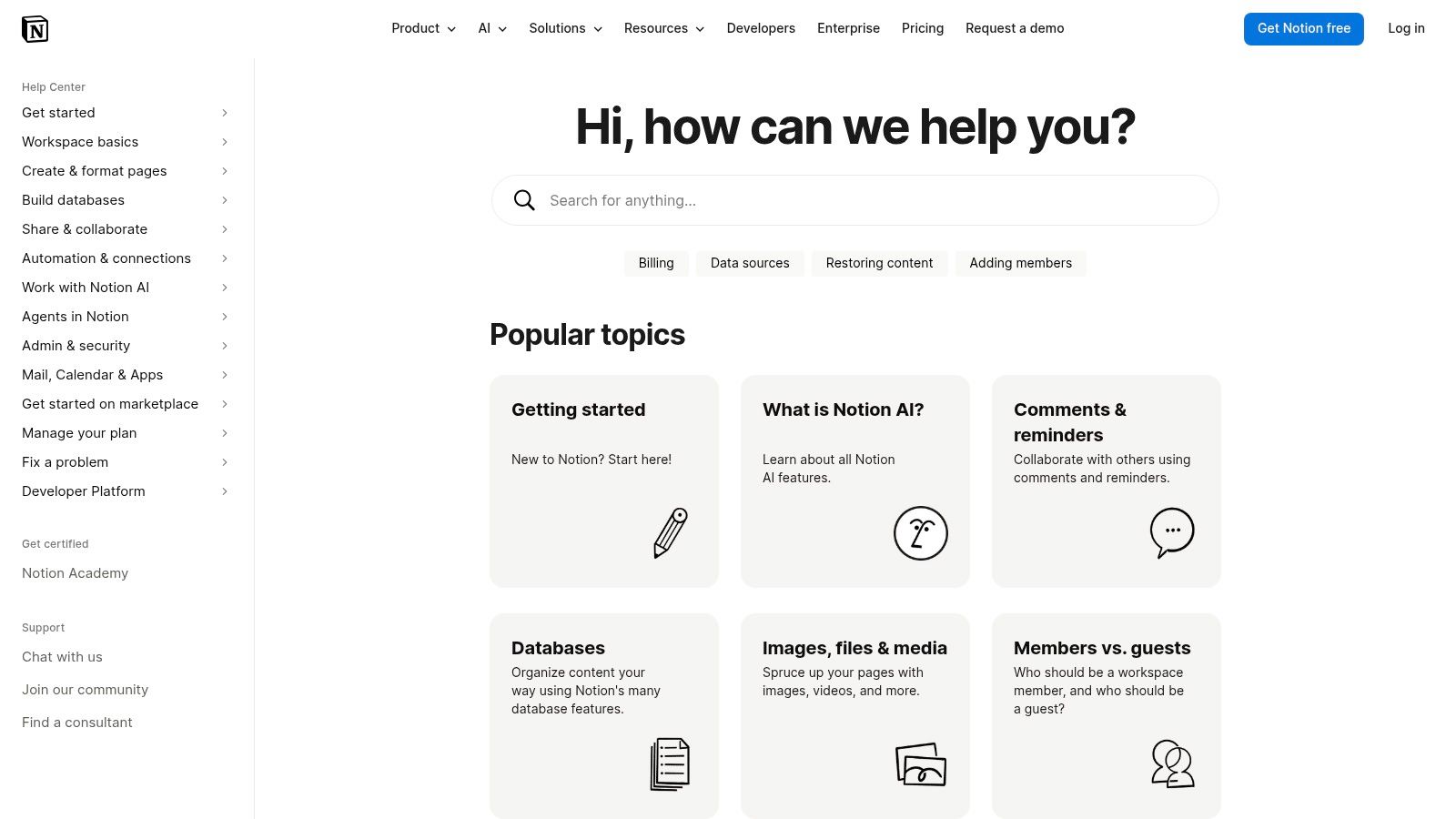
The strongest move here is the combination of search and guided taxonomy. Search helps users who know the words. Categories help users who only know the problem.
A support team building this pattern should borrow three mechanics:
Practical rule: If a user has to understand the company's org chart to find an answer, the FAQ architecture is already failing.
Notion's trade-off is depth. The help center is broad enough that weak search terms can still send users down the wrong branch. That's common in large knowledge bases. The fix isn't to shrink content. The fix is to add better synonyms, better article titles, and better topic clustering.
A reusable copy pattern from this model:
Teams building a similar system for chat and community channels should pair the FAQ with self-service support best practices, especially when the same answer needs to work across web, Slack, or Discord.
A Slack admin is trying to approve an app request before a meeting starts. The employee who requested it just wants the install button to work. Those are two different support problems, and Slack's help center treats them that way from the first click.
Slack Help Center is one of the stronger faq page examples for multi-role products because it sorts answers by user responsibility, not just by feature. That decision cuts wasted reading. It also cuts misrouted tickets, which is what support teams primarily care about.
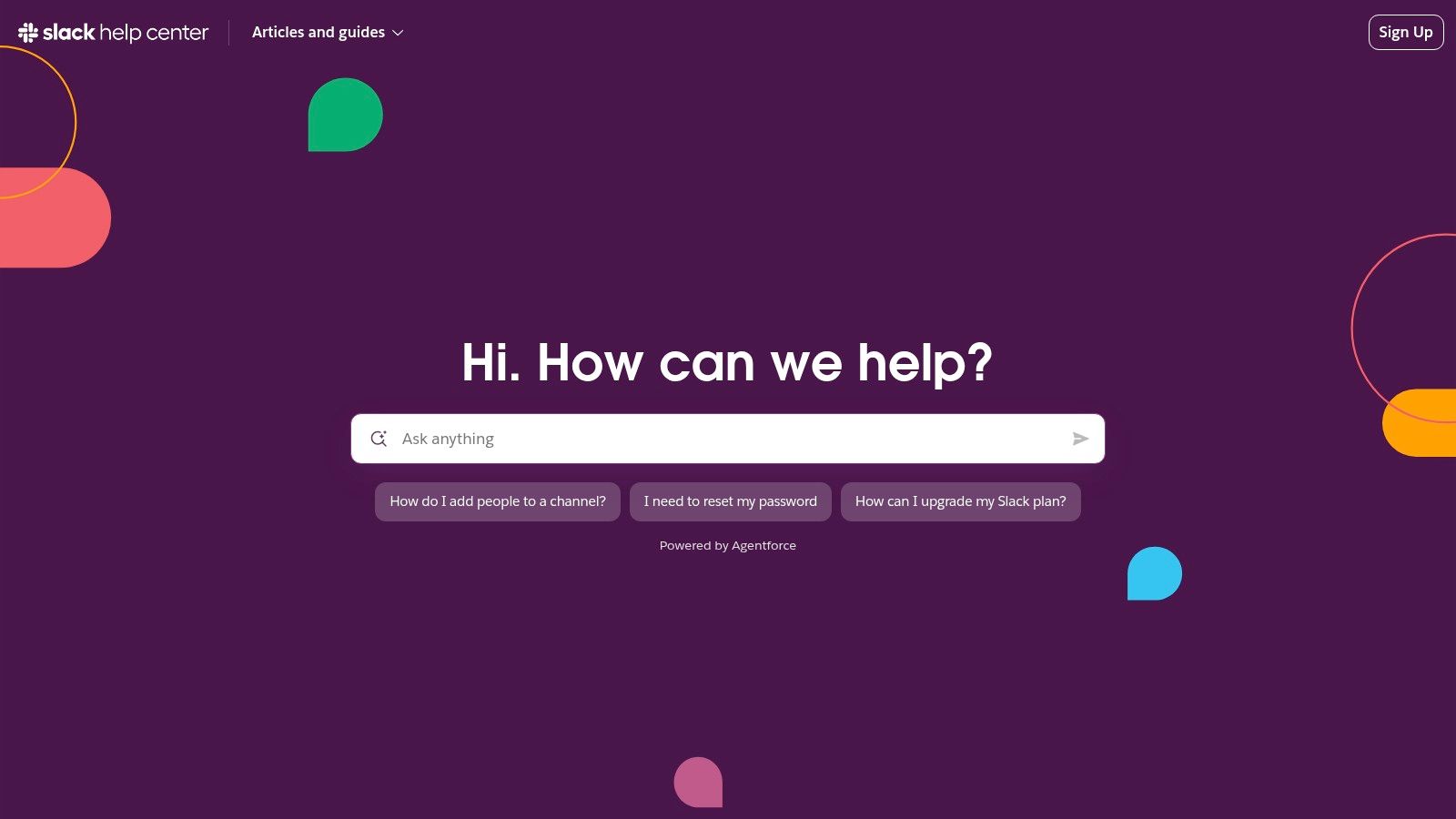
Slack makes search the default behavior, then narrows the path with role-aware articles and clear task language. That matters in a product where the same setting can be visible, hidden, or restricted depending on workspace policy.
The article structure does a lot of the deflection work. Good Slack help content usually answers four questions in order: what you're trying to do, who can do it, how to do it, and what to check if the option is missing. Support teams building their own FAQ should document that structure in their knowledge management process for support teams, because consistency matters as much as article quality.
What teams should copy from this model:
Here's the reusable pattern behind Slack's copy:
Question: Why can't I install an app in Slack?
Answer: App installation may be limited by workspace permissions. First, check whether app approvals are required or whether your role allows app installs. If the app should be available but the install option is missing, ask a workspace admin to review the policy before opening a support ticket.
That template works because it prevents a common failure mode. Users do not open a ticket saying, “I need role-based troubleshooting.” They say, “The button is gone.” Slack's better articles translate that symptom into the likely cause without making the user decode internal permission logic.
There is a trade-off. Search-first help centers are fast for users who know the product language, but weaker for stressed users who describe the issue loosely or use the wrong term. For lockouts, billing disputes, and admin policy conflicts, direct support can still feel too many clicks away. The lesson is not to copy Slack's structure blindly. Copy the role clarity, then make escalation easier in the few cases where self-serve predictably breaks.
Discord Support is one of the most useful faq page examples for community-led products because it serves several audiences at once without collapsing into chaos. End users need account help. Moderators need safety and permissions guidance. Developers need platform-specific documentation. Discord keeps those lanes visible.
That's harder than it looks. Community platforms often mix consumer support and technical support in ways that create dead ends. Discord's category pages reduce that problem by helping users self-triage before they open anything.
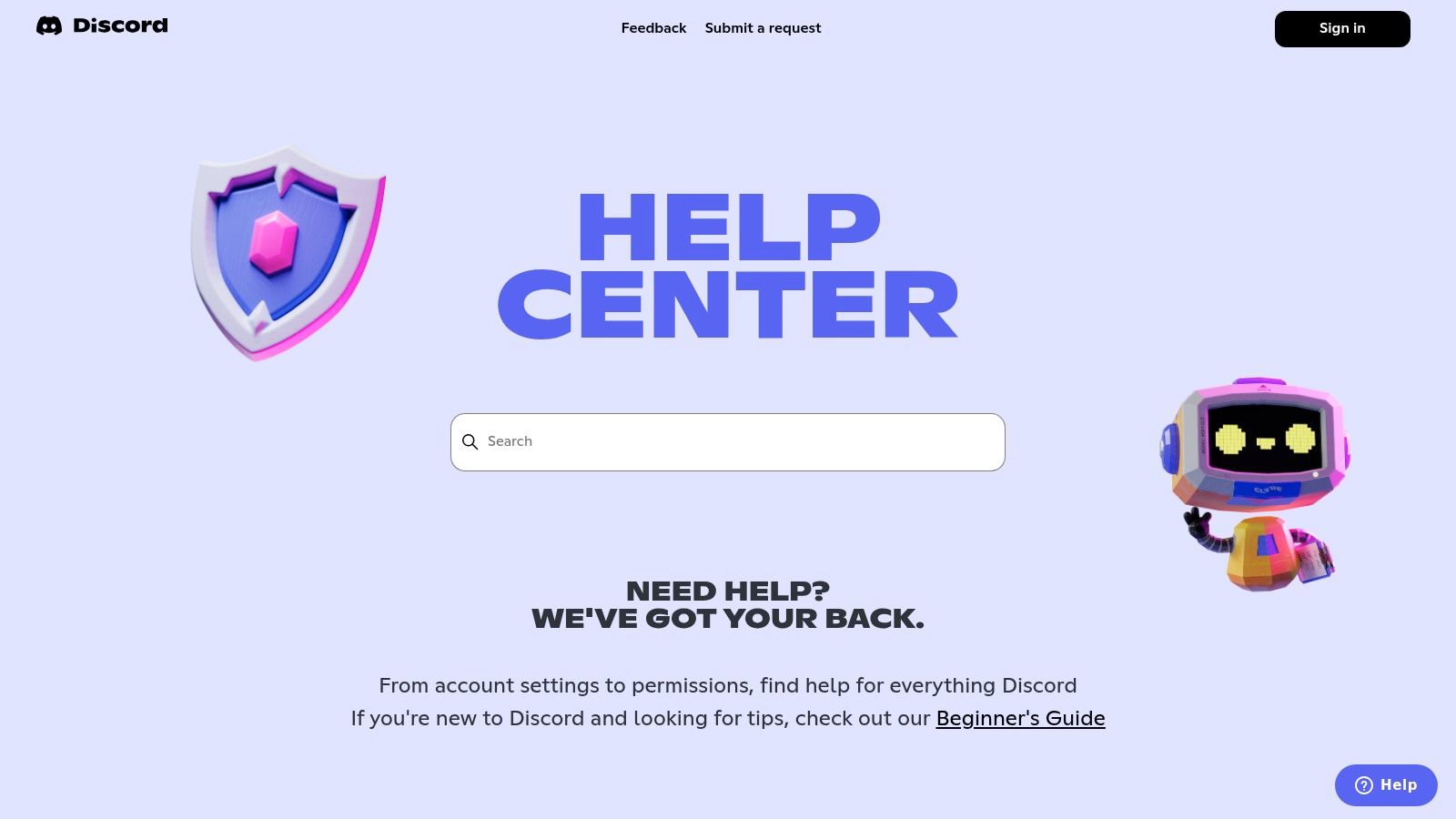
This help center is especially relevant because generic web FAQ structures often fail in chat-first environments. Verified industry commentary notes that many community managers report weak results from static web-first FAQ patterns in Discord and Telegram settings, where users expect faster, more contextual help than a conventional list can provide (The Ecom Academy discussion).
Discord's best pattern is its language. It doesn't write like a legal archive. It writes like a support team that knows the user is already frustrated.
Three things stand out:
Community FAQs fail when they answer the platform's structure instead of the user's situation.
A copy block that fits this model:
Discord's weak spot is depth inconsistency. Some advanced workflows need more detail than the article provides. That's where a stronger knowledge management system becomes important, especially when support content has to serve moderators, bot builders, and end users at the same time.
Shopify Help Center is what an FAQ looks like when the business knows support requests are tied directly to revenue. Pricing, discounts, taxes, billing, store setup, app behavior, shipping. These aren't side questions. They affect launch speed, checkout confidence, and merchant retention.
Shopify handles this by splitting conceptual education from scenario troubleshooting. That sounds minor, but it's one of the most practical patterns in this list. Users asking “What is this?” need a different article than users asking “Why did this fail?”
Historical Shopify analysis referenced in industry guides recommends accordion-based formats, especially when pages need to stay scannable while holding detailed answers. The same guidance suggests 4 to 7 logical categories and quarterly updates in fast-moving industries (LinkAssistant recap of FAQ structure guidance).
Shopify follows that general playbook with broad coverage and targeted issue pages. It also does something support leaders often neglect. It offers adjacent paths when the answer isn't a help article, including support prompts and expert-oriented options.
Useful patterns to borrow:
A template in Shopify's style:
Question: Why didn't the discount apply at checkout?
Answer: Discounts can fail when eligibility rules don't match the cart. Review the discount type, customer requirements, product exclusions, and date settings, then test again with a fresh cart.
The trade-off is scale. Shopify's depth is excellent, but users depend heavily on search quality. Without strong query matching and article maintenance, large libraries feel bigger than they are.
For teams that want those answers available in live chat or community channels, knowledge base integration is what turns a static article library into an operational support system.
GitHub Support Docs takes a different path. It treats the FAQ as part of a support intake system, not just a content destination. That's a strong fit for developer products, where users often arrive with a specific technical block and need to know both the answer and the correct escalation route.
GitHub is especially good at pre-ticket framing. Before someone files a case, the docs explain support options, account-access flows, and where product scope begins and ends. That reduces low-quality tickets because users know what support can handle.
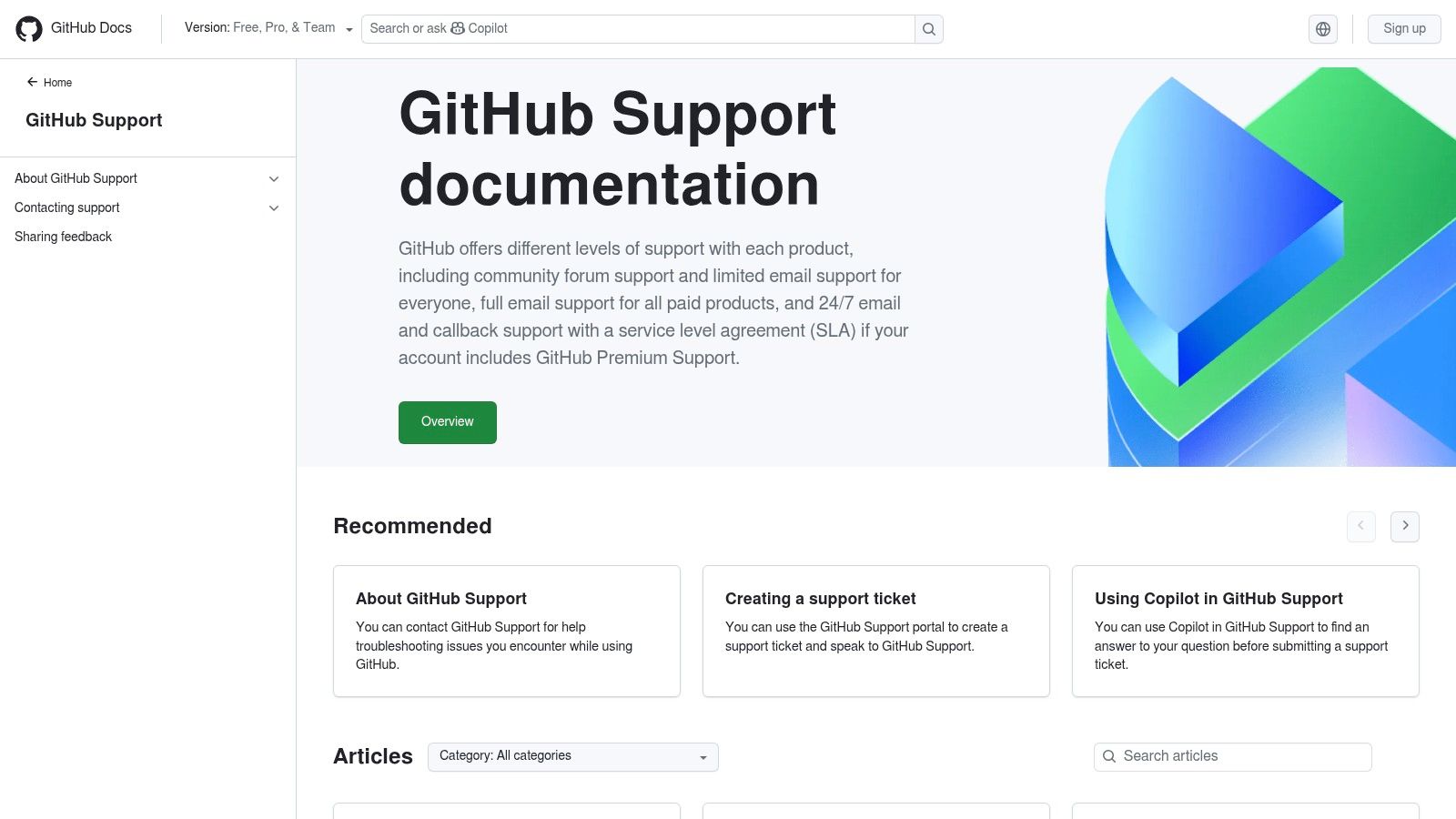
A detailed analysis of 47 high-performing FAQ pages found that pages using AI-powered guided workflows reduced support ticket volume by an average of 58% within 90 days, and pages with dynamic, condition-based filters increased self-service resolution rates by 72% (benchmark summary). GitHub's support experience aligns with that broader direction by helping users refine the problem before they escalate.
This is particularly effective for technical products because “contact support” is often the wrong first action. Users need issue classification first.
Practical takeaways:
Operational lesson: The best FAQ for technical users doesn't just answer questions. It improves ticket quality.
A copy snippet worth adapting:
GitHub's downside is that some enterprise details sit outside the main support tree, which can fragment discovery. Still, for developer audiences, this is one of the stronger examples of FAQ plus intake working as one system.
Coinbase Help Center is built for a category where trust matters as much as usability. The core questions aren't just “How do I use the product?” They're “Is my account secure?” “Why am I locked out?” and “What do I do if something looks fraudulent?”
That changes FAQ design. Short answers work better here than long explainers, because anxious users need immediate direction, not a content tour. Coinbase leans into that with direct categories around onboarding, payments, verification, and security.
This model is strong for regulated or sensitive products because it avoids overloading the reader. Security and compliance topics become unreadable fast when teams try to pack every edge case into one page.
A few patterns stand out:
A reusable answer template from this style:
Question: Why is my account restricted?
Answer: Account restrictions can happen during security reviews, identity checks, or unusual activity checks. Review any verification or security prompts in the account first, then follow the on-screen steps before contacting support.
Industry benchmark data from a study of 1,200 enterprise knowledge bases found that FAQ pages with real-time chat widgets and AI-powered answer suggestions achieved a 64% lower bounce rate, while context-aware search reduced average time-to-answer from 4.8 minutes to 1.2 minutes (enterprise knowledge base benchmark). That finding fits Coinbase's category well. High-stress users don't want to browse. They want the next safe action immediately.
The limitation is obvious. Technical users may find some articles too brief. But for mainstream users dealing with account risk, brevity is often the right call.
Airbnb Help Center is one of the cleanest examples of scenario-first FAQ design. Instead of asking users to understand the company structure, it asks who they are and what happened. Guest or host. Booking issue or refund issue. Policy question or trust-and-safety issue.
That's the right approach for large consumer platforms because the emotional context changes the support need. A refund question before booking isn't the same as a refund question after a disrupted stay. Airbnb's navigation reflects that.
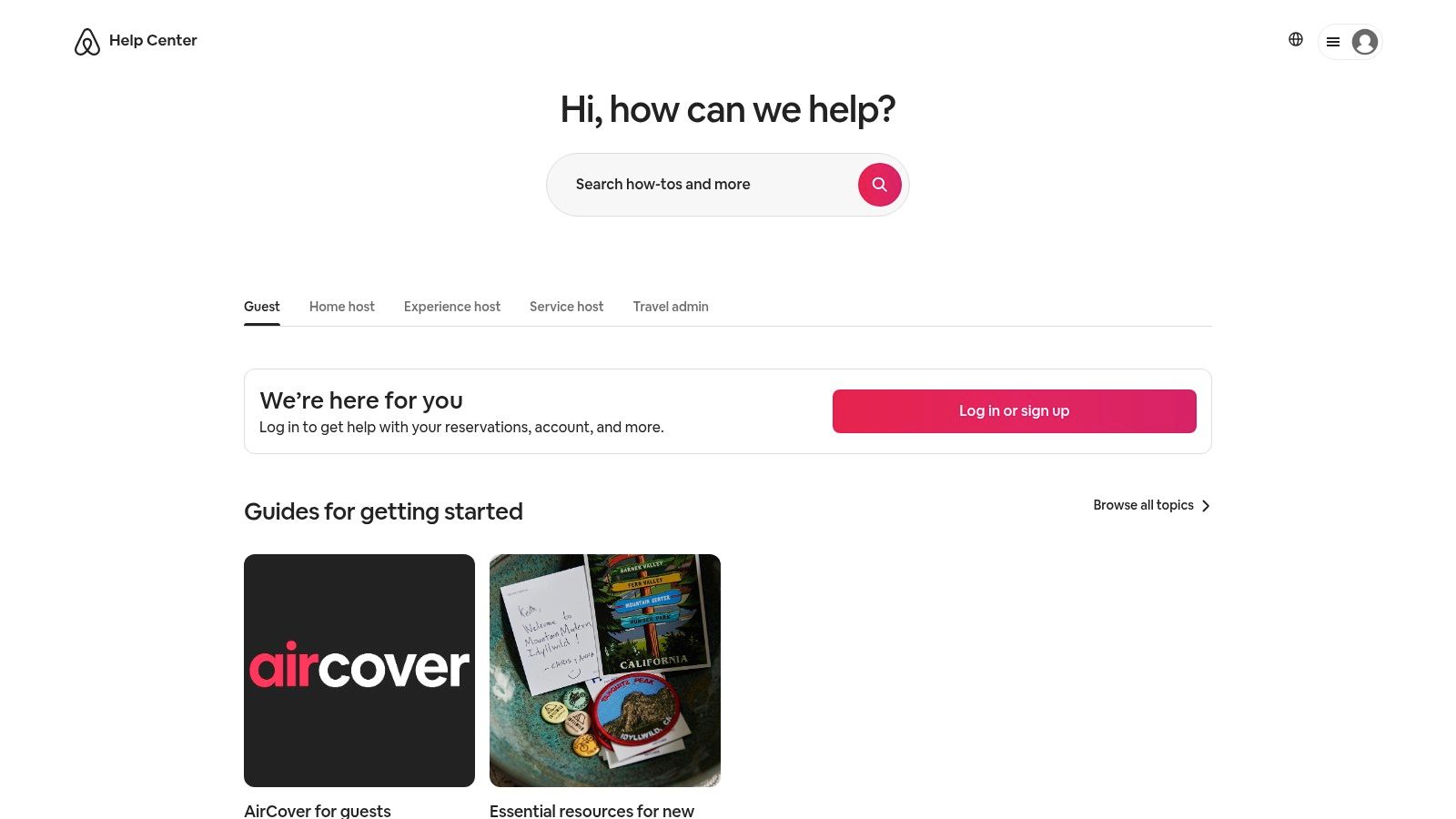
Airbnb's strongest move is using concise summaries before the deeper policy detail. That keeps readers from bouncing just because the page looks dense.
This pattern is easy to adapt:
A support-ready answer format based on Airbnb's structure:
Question: How do refunds work after a cancellation?
Answer: Refund outcomes depend on the reservation details, timing, and the cancellation terms attached to the booking. Review the reservation in the account first, then follow the listed refund or support options shown for that trip.
Current coverage of faq page examples often over-focuses on static web layouts and underplays chat-first support environments, even though modern community teams increasingly need conversational, embeddable answers instead of standalone pages (WPShout's FAQ examples roundup). Airbnb still works as a model because its role-based and scenario-based architecture translates well into guided chat flows.
Its weakness is article hopping. Users sometimes need several policy pages to get full context. But the initial triage is strong, and that's often the part that prevents unnecessary tickets.
| Example | Implementation complexity | Resource requirements | Expected outcomes | Ideal use cases | Key advantages |
|---|---|---|---|---|---|
| Notion Help Center | Medium–High, taxonomy + strong search | Content strategy, taxonomy maintenance, search engineering | Improved onboarding and fewer admin tickets | Product teams needing unified onboarding + troubleshooting | Large guided taxonomy, popular topics, scannable templates |
| Slack Help Center | Medium, role-based IA and localization | Role-specific content, localization, search tuning | Clear role-based guidance and smoother escalations | Multilingual teams and orgs with distinct user/admin roles | Role-tailored navigation, language/regional adaptation, contact paths |
| Discord Support | Low–Medium, broad audience coverage | Community/safety content, developer docs, category pages | Serves end users, moderators, and developers effectively | Community platforms and developer communities | Blends consumer, moderator, and developer FAQs; clear safety guidance |
| Shopify Help Center | High, extensive, scenario-driven content | Large content ops, commerce experts, frequent updates | Deep self-serve support for merchants; reduced support load | Ecommerce/SaaS with complex merchant workflows | Granular setup guides, commerce-specific FAQs, expert/contact prompts |
| GitHub Support (Docs) | Medium–High, docs + ticketing + AI assist | Developer docs, AI search integration, support tier management | Reduced pre-ticket noise and clear enterprise escalation | Developer-focused products and enterprise support models | Pre-ticket guidance, copilot-assisted discovery, transparent SLAs |
| Coinbase Help Center | Medium, security and compliance focus | Compliance/legal review, regionalized content, gated flows | Strong security guidance and clear verification paths | Regulated financial services and high-trust platforms | Concise security/KYC guidance, region-aware content, sign-in escalations |
| Airbnb Help Center | Medium, role/scenario-driven with policies | Multilingual content, legal/policy upkeep, contextual links | Fast triage for guests/hosts and clearer dispute resolution | Large consumer marketplaces with trust & safety needs | Scenario-first IA, clear policy/refund guidance, contextual account actions |
The best faq page examples don't look identical, but they do share the same operating model. They're search-centric. They organize content around user roles or jobs-to-be-done. They surface common issues early. And they make escalation feel like a deliberate next step, not the only path left.
The practical lesson is that FAQ quality has less to do with clever design than with support architecture. Notion and Slack show how role and task structure reduce noise. Discord and Airbnb show how to triage mixed audiences without forcing everyone into the same funnel. Shopify and Coinbase show when short scenario pages beat long encyclopedic ones. GitHub shows that a support page can improve ticket quality before a case is even filed.
Support leaders should audit their current help center with sharper questions. Are categories written in customer language? Do article titles match the exact words users type into chat? Are billing, permissions, account access, and policy questions easy to find without scrolling through unrelated content? Is there a clear handoff when self-serve fails?
There's also a maintenance issue many teams ignore. Historical guidance referenced in industry summaries recommends updating FAQ pages quarterly in fast-moving industries, which is the difference between a living support product and a stale archive. The same body of verified data also notes that category labels should use the words customers use, not internal jargon, and that large FAQ sets benefit from filtering or search. Those details aren't cosmetic. They determine whether the page gets used.
For community-driven teams, static pages usually aren't enough on their own. Users in Discord, Telegram, and Slack want answers in the flow of conversation. Verified data also shows a clear shift toward AI-resolved FAQ experiences, where support platforms can reduce ticket load by up to 60% by handling repetitive queries before a human steps in. That's the operational upgrade many teams require.
The simplest next move is to treat the FAQ as source material, then distribute it everywhere users ask questions. A tool like Mava can turn a knowledge base into an AI support layer for web chat and community channels, so the answer isn't trapped on a page that nobody opens.
Mava helps support teams turn static FAQ content into fast, conversational support across the web, Discord, Slack, and Telegram. Teams can import existing docs, help center articles, or Google Docs, then let AI resolve repetitive questions instantly and route edge cases to humans with full context. For community-led companies that need fewer repetitive tickets and better response quality, Mava is a practical next step.
.png)
.png)
.png)
