.png) Get Started
Get Started
A lot of teams ask what is shared mailbox only after the old system has already started breaking.
It usually starts with one address such as support@ or info@. One person watches it, then two people do, then a few more jump in when things get busy. At the same time, customers stop using only email. They send a Discord DM, post in a support channel, message on Telegram, or expect help through web chat. The work is still support. The inbox is no longer one inbox.
That's the moment when a communication setup stops being “lean” and starts becoming fragile. Messages get answered twice. Other messages sit untouched because everyone assumed someone else had them. A manager can see that the team is working hard, but can't easily see where the work is stuck. The problem usually isn't effort. The problem is that the team is trying to run shared work in tools built for individual communication.
A common pattern shows up in growing teams.
At first, a founder or an early support hire handles everything from a personal mailbox. Then the company creates support@company.com, gives a few people access, and calls it a process. That works for a while. Then a Discord server grows, moderators start answering in public threads and private messages, and Telegram picks up because users want faster help. Suddenly the team has several half-systems instead of one support operation.
The symptoms are easy to recognize:
That kind of mess usually appears when a team succeeds faster than its operating model. More users, more channels, and more incoming questions create pressure that a loose mailbox setup can't absorb.
Teams don't usually need “more hustle” at this stage. They need a system that turns incoming messages into visible, assignable work.
A proper shared workflow fixes that by making conversations communal without making responsibility vague. That can begin with email, but teams handling community traffic often need more than a basic mailbox. That's why many eventually move from ad hoc inbox sharing to a structured ticket management system that treats support as coordinated team work, not a pile of messages.
A traditional shared mailbox starts with a familiar setup. One team email address, such as support@company.com or billing@company.com, is used by several people who need to read incoming messages, reply from the same address, and keep the conversation history in one place.
That model solved a real operational problem for years. It gave teams a shared identity and a shared record without forcing work through one person's inbox.
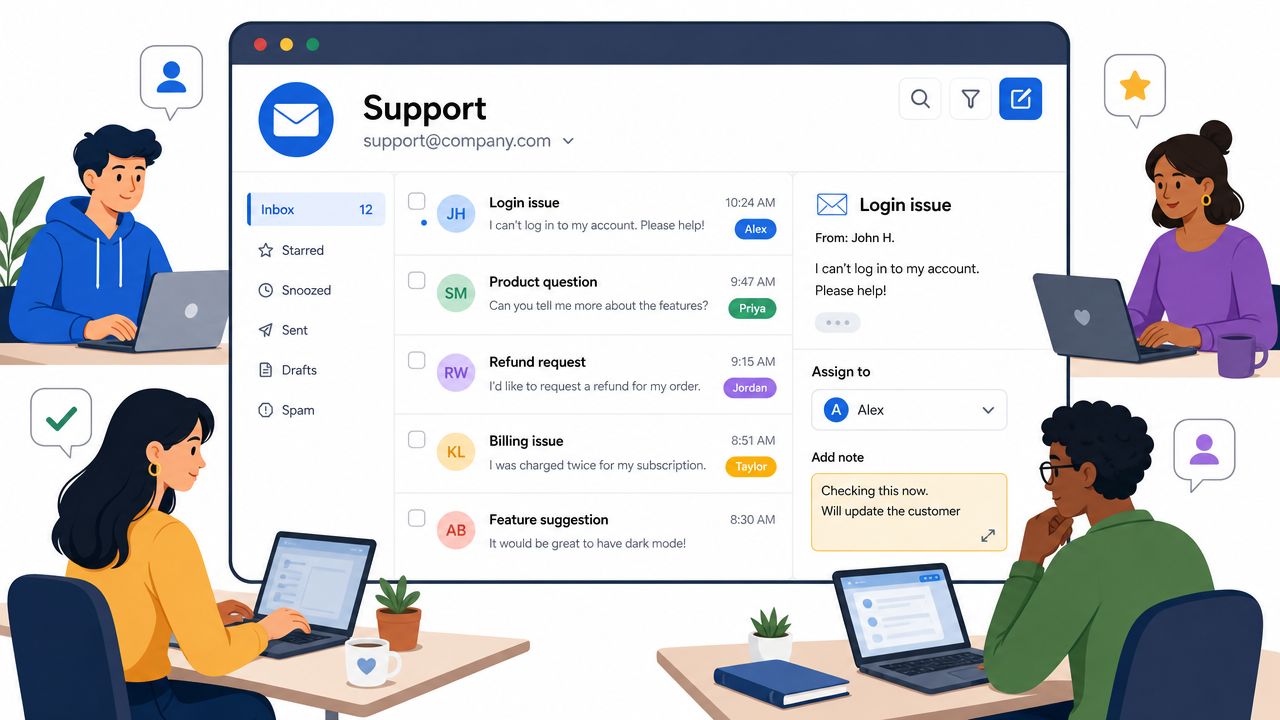
The key difference is access and ownership.
A proper shared mailbox gives each teammate access through their own account instead of passing around one login. That is the practical line between a real shared mailbox and the risky version many small teams start with, where everyone signs into the same inbox and hopes nothing breaks. In many setups, the team can also reply from the shared address and manage a common calendar tied to that mailbox, as summarized in Zoho TeamInbox's explanation of shared mailboxes.
This matters because support work needs continuity. People change shifts, go on leave, or leave the company. A shared mailbox keeps the customer thread attached to the function, not the individual.
Traditional shared mailboxes are built for a narrow but useful job:
That is why shared mailboxes remain common in support, finance, HR, and office operations. They are easy to understand, usually quick to set up, and good enough when the work is still mostly email.
The older definition is email-first. That is still accurate, but it is no longer complete for many teams.
A support lead handling only email can treat a shared mailbox as the team inbox. A support lead handling email, Discord, Telegram, and live chat cannot. The operational need is the same, shared visibility and shared ownership, but the container has changed. Community teams now need the same discipline applied across public threads, direct messages, and channel-based conversations. That is why many teams outgrow mailbox access alone and move toward a shared inbox for team support across channels.
A useful working definition is broader than the old IT admin version. A traditional shared mailbox is the original form: one shared email identity used by a team. Modern support teams often need that same model extended into a unified workspace that covers more than email.
The confusion around shared mailboxes usually comes from lumping three different things together: a personal inbox, a classic shared mailbox, and a modern unified inbox.
A personal inbox is for one person's work. A traditional shared mailbox is for one team email identity. A unified shared inbox is built to handle team communication across several channels in one operational view.
Microsoft 365's built-in mailbox usage reporting includes shared mailboxes and lets admins review Mailbox, Storage, and Quota charts with trend windows of 7, 30, 90, or 180 days (ManageEngine summary of Microsoft 365 mailbox usage reporting). That reporting model reflects what classic shared mailboxes are built to track well. Capacity and activity inside email.
A personal inbox breaks down quickly when the work belongs to a team. If one rep is out, the context is trapped in that person's mailbox. If another rep helps, they either need forwarded threads or someone starts sharing credentials, which creates obvious security and governance problems.
A personal inbox also encourages one-person ownership of what should be collective service coverage. That works for account management. It doesn't work well for queues.
Classic shared mailboxes solve the password-sharing problem and improve visibility for email. They do not solve channel fragmentation.
That's the key practical divide. A support lead may have one clean Outlook mailbox for support@, while the actual support burden is spread across:
At that point, the team doesn't have one inbox problem. It has a coordination problem across inboxes.
Email shared mailboxes are a strong answer to email collaboration. They aren't a complete answer to modern community support.
A unified inbox becomes necessary when the company's users don't care which channel they use, but the support team still needs one operational system behind all of them.
Monday morning is where the value shows up. One customer is asking for an invoice, another is locked out of an account, and a third has posted a bug report in a Discord channel before anyone answered their email from Friday. The team does not need more places to check. It needs one operating model for shared work.
That is why the main benefit of a shared mailbox is operational clarity. A visible queue changes how teams work. Coverage becomes planned instead of accidental, handoffs stop living in Slack pings, and managers can see whether the backlog is healthy without chasing status updates.
Shared mailboxes are still a practical fit for support@, billing@, and info@. Those addresses usually carry work that belongs to a function, not to one person, and they need continuity when schedules change or volume spikes.
Used well, a shared mailbox helps SaaS teams in a few concrete ways:
I have seen this inflection point many times. A founder answers everything from a personal inbox, it feels efficient for a while, then two new hires join and nobody knows who owns what. The issue is not access alone. The issue is whether the team has a shared queue with visible ownership.
At this point, the traditional definition starts to fall short. The work still looks like support, but it arrives in places that were never designed as a classic team inbox.
A game studio might handle bug reports in a public Discord channel, payment problems in Discord DMs, and ban appeals in Telegram. A crypto team might split user questions across Telegram groups, private messages, and email. In both cases, the need is the same as a shared mailbox: shared visibility, clear ownership, and preserved history. The difference is that the queue is no longer contained in one email address.
That trade-off matters. Email shared mailboxes are slower and more structured. Community platforms are faster, noisier, and partly public. Moderators need to respond in context, but the support lead still needs one place to track who picked up the issue, whether it was resolved, and whether the same complaint is appearing across channels.
For teams like that, the useful concept is broader than an email shared mailbox. It is a shared inbox across channels.
Automation only helps once the work is organized. If requests are scattered across individual inboxes and community DMs, automation tends to make routing mistakes faster. If the team already has clear ownership, tags, and repeatable workflows, automation can handle triage, assign conversations, and standardize common replies.
That is why many teams fix workflow before they automate. Once the queue is structured, it becomes much easier to decide what should be handled by a person, what should be answered from a template, and what should be routed automatically. Teams planning that next step can use this guide on how to automate customer support after the team has agreed on ownership and response rules.
A shared mailbox gives a team more than shared access. It gives the team a repeatable system for handling incoming work. For email teams, that may be enough. For community-heavy teams, it is usually the starting point for a unified shared inbox that covers Discord, Telegram, and the rest of the support stack.
A shared mailbox can fix chaos. It can also create a new kind of chaos if nobody defines how the team should use it.
The governance side is what most setup guides skip. They explain where to click, but not how a team should operate once access is granted.
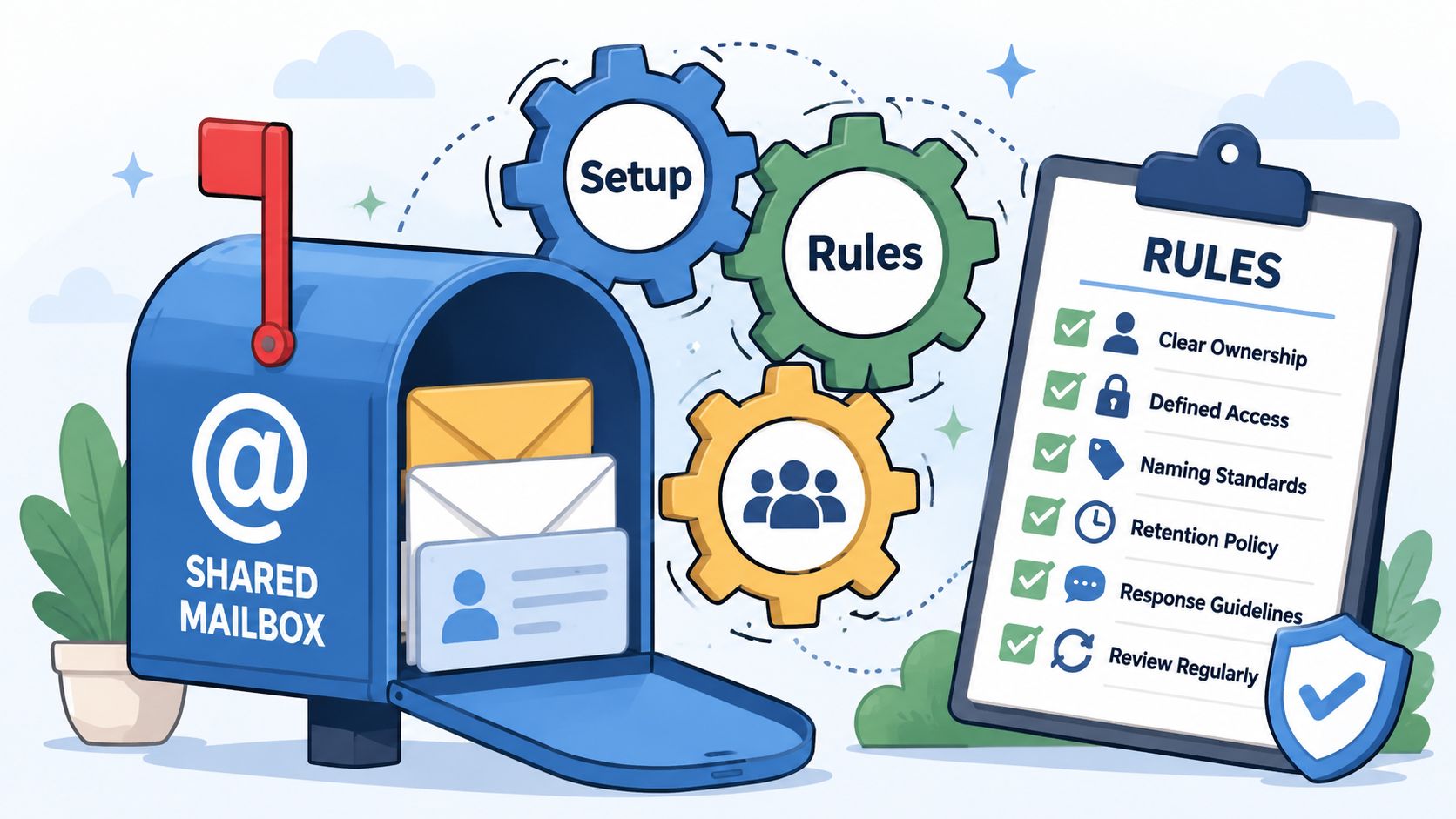
Microsoft states that shared mailboxes have no password, no direct sign-in, and require admin-granted access. Operationally, that matters because permission changes can take time to propagate, which turns mailbox delegation into a real governance issue for support or front-desk teams with high message volume, as summarized in GoDaddy's explanation of shared mailbox access behavior.
That leads to a simple rule. Access management should be treated like production access, not like an informal favor.
A workable baseline looks like this:
The most common failure in shared inboxes is unclear ownership.
If a message enters the inbox and nobody claims it, the team gets duplicate replies or no reply at all. If everyone self-assigns randomly, specialists get bypassed and urgent work gets buried.
A simple ownership framework works better than overengineering:
Practical rule: every incoming conversation should have one clearly visible owner, even if several people contribute behind the scenes.
Folders and tags should answer operational questions, not decorate the inbox.
Useful categories include:
What doesn't work is a mailbox full of decorative labels nobody uses consistently. A small, enforced system beats a long taxonomy.
After the team has agreed on those rules, it helps to see the mechanics in action:
Technology can help, but most shared mailbox mistakes come from weak habits.
The team should agree on:
Saved replies also matter. Common requests such as password help, refund policy questions, or “where do I find the docs” answers shouldn't be rewritten from scratch every time. A small library of approved replies improves consistency without turning agents into robots.
The teams that run shared inboxes well usually don't have more complicated rules. They have fewer rules, followed more consistently.
A support lead notices the shift early. Email is still active, but urgent issues now show up in Discord threads, Telegram DMs, Slack messages, and website chat. The team is still doing shared inbox work. The problem is that the work is scattered across tools that were never designed to operate as one queue.
That is where a traditional shared mailbox starts to break down. It handles shared access to one address well enough, but it does not give the team one place to triage, assign, discuss, and measure conversations across community channels. For companies that support users in public and private spaces at the same time, that gap becomes operational debt.
The shared mailbox model established the core rules many teams still need. A group sees the same incoming messages, works from a common identity, and avoids duplicate replies. Those rules still matter.
What changed is the channel mix. Support is no longer confined to support@company.com. A product issue might start as a public Discord post, move to a private follow-up, and end with an email confirmation. If those touchpoints live in separate tools, the team loses context, repeats work, and misses patterns that only show up when conversations are viewed together.
A unified shared inbox solves that by treating conversations from different channels as one managed workload.
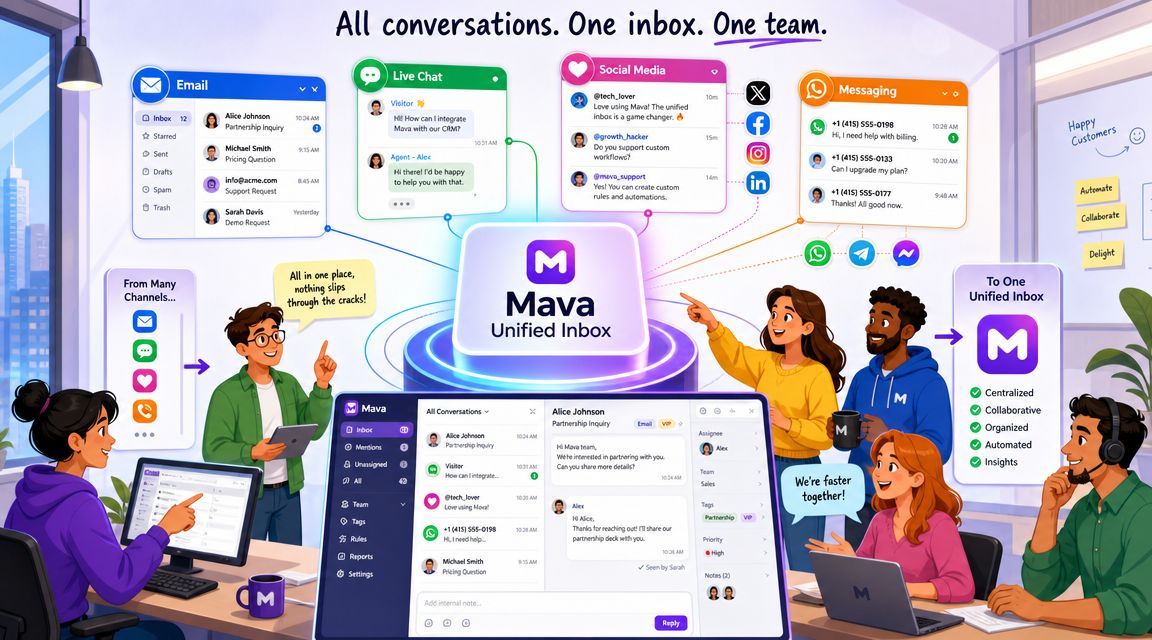
The practical difference is not just convenience. It changes how a team runs support day to day.
With a unified setup, agents do not have to keep bouncing between inboxes, mod tools, and chat apps to understand who said what and where the issue stands. The team can review incoming work in one place, assign ownership, leave internal notes, and keep a record that spans channels.
That matters most when:
This is the point where older shared mailbox tools usually stop. They were built around email collaboration. They were not built for Discord servers, Telegram communities, or mixed support environments where chat moves faster than email and public threads can turn into support incidents in minutes.
Mava applies shared mailbox discipline to modern support channels. It brings Discord, Telegram, Slack, web chat, and email into one shared workspace so the team can manage them as a single operation instead of five disconnected ones.
That changes a few things in practice. Agents can work from one queue instead of monitoring each platform separately. Managers get a clearer view of backlog and ownership. Teams can also use AI for triage and repetitive questions, which helps when volume is too high for manual sorting alone but the team still needs human review on sensitive cases.
The trade-off is straightforward. If support lives entirely in one low-volume email address, a standard shared mailbox is often enough. If support happens across community platforms, private messages, and email, a unified shared inbox is usually the setup that keeps response quality from slipping.
Teams that have outgrown a basic mailbox setup can explore Mava as an AI-powered shared inbox for support across Discord, Telegram, Slack, web chat, and email. It's built for teams that need one workspace for community conversations, agent collaboration, and structured support operations.
.png)
.png)
.png)
