.png) Get Started
Get Started
A familiar pattern plays out on team dashboards every week. Website visitors ask a question in a chat bubble, then jump to Discord for faster answers, send a follow-up in Telegram, and expect the support team to understand the full story instantly.
Organizations often still treat those touchpoints as separate systems. That's where the pain starts. The website widget becomes a lightweight add-on, Discord becomes the primary support channel, Slack becomes the internal relay, and context gets lost between each hop.
A modern chat widget for website use shouldn't work like that. It should act as the visible front door to a single support and engagement system that connects web, Discord, Telegram, and Slack without forcing users to repeat themselves or forcing agents to piece together fragmented conversations.
The reason is simple. Visitors expect immediate interaction, and teams have learned that waiting for contact forms and email queues costs attention, trust, and often revenue.
That shift is visible in adoption. A 2023 industry survey of 2,000+ companies across 30 countries found that 68% of businesses now use some form of website chat on their main customer-facing domains, up from 42% in 2017 according to LiveAgent's review of chat widget market trends. At that point, chat isn't a novelty. It's standard customer-facing infrastructure.
The harder question is what role the widget should play.
For some teams, the widget is still treated like a floating FAQ launcher. It answers a few common questions, creates a ticket if needed, and sits in the corner of the site. That setup can work for low-complexity support, but it breaks down fast for community-led products, gaming studios, SaaS teams, and Web3 projects where conversations move across channels.
Practical rule: If the website widget and the community inbox don't share context, the team hasn't deployed a support system. It has deployed another queue.
A better framing is this. The widget is the entry point users see, but the core product is the conversation architecture behind it. That includes identity, routing, AI answers, escalation logic, channel history, and handoff workflows.
Teams no longer support customers in one place. A user might discover the product on the site, verify trust in Discord, ask a setup question in web chat, and expect a human answer inside the same thread. If the widget can't carry that journey forward, it becomes a dead end instead of a growth asset.
That's why so many sites now have chat. Not because everyone copied the same UI pattern, but because the underlying support model changed. The teams getting the most value from chat aren't just adding a bubble. They're using that bubble as the control point for support, onboarding, and community engagement.
At its simplest, a chat widget is a digital front desk for a website. It greets visitors, answers questions, routes requests, and helps people find the next step without leaving the page.
That basic definition is still useful, but it's incomplete. A modern widget isn't just a box that sends messages from a website. It's the visible edge of a much larger support system.
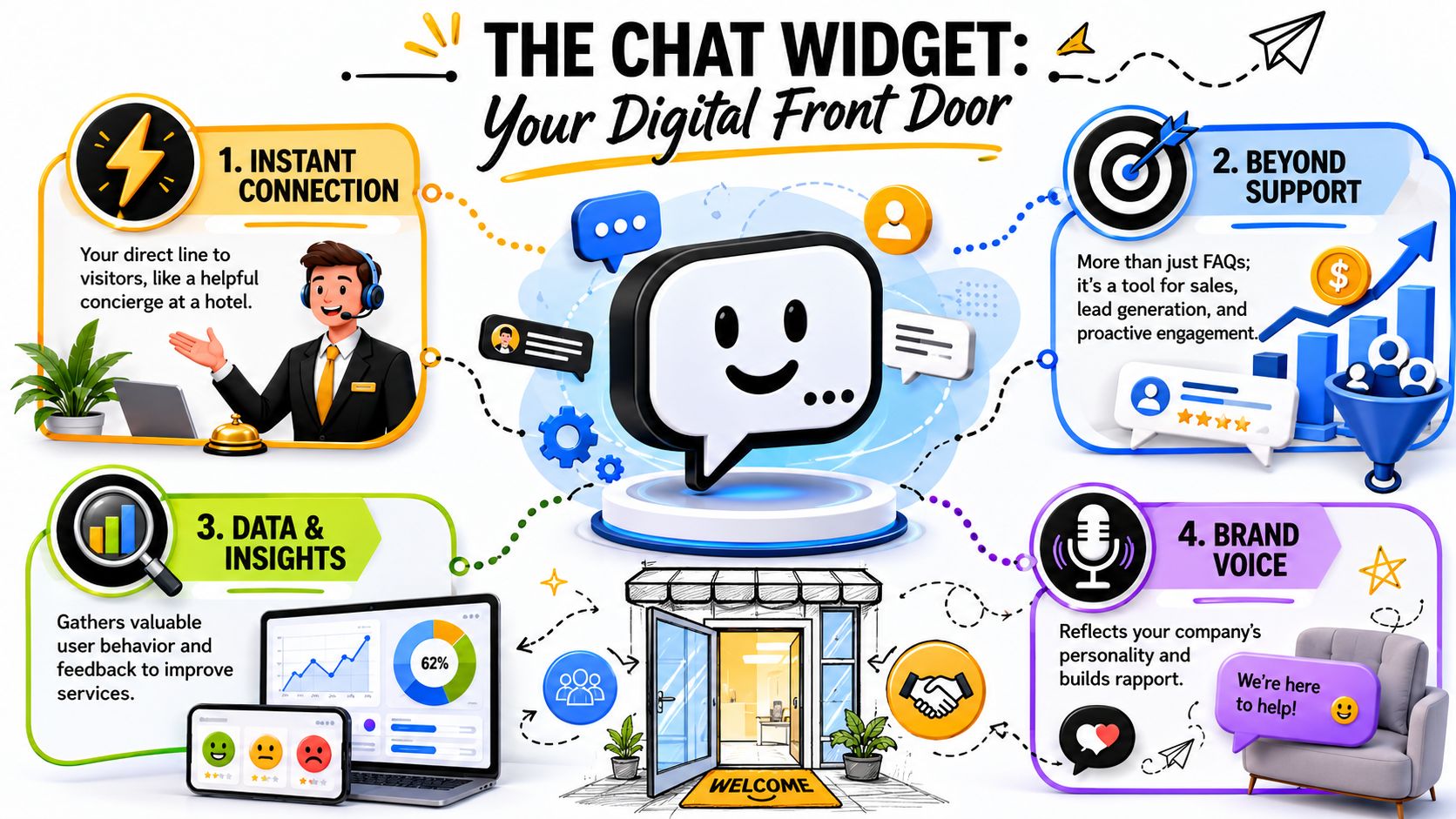
The older model is siloed. A visitor writes in from the website, the widget stores the message in its own inbox, and any escalation has to be copied manually into email, Slack, or another tool. The conversation lives and dies inside that one widget.
The modern model works differently. The website widget becomes one entrance into a shared support layer that also receives messages from Discord, Telegram, Slack, and other channels. The user sees a simple chat window. The team sees one thread, one history, and one place to act.
A simple comparison makes the difference clearer:
SetupWhat the visitor experiencesWhat the team experiencesStandalone widgetFast initial contact, weak continuitySeparate inbox, manual handoffsUnified widget hubOne conversation across channelsShared context, cleaner routing
Teams often buy a widget for speed, then discover that speed alone doesn't solve support complexity. What matters is whether the widget can preserve identity and context as the conversation moves.
If a user asks a billing question on the website, gets routed to a private Discord ticket, and later follows up in Telegram, the team shouldn't need to reconstruct the issue from scratch. The system should already know who the user is, what was asked, what the bot answered, and where a human needs to pick up.
A chat widget should feel small to the user and large to the team. Small on the page, large in the system behind it.
A strong chat widget for website deployment usually handles four jobs at once:
That's why the visible widget is only the tip of the iceberg. Its true value sits in the shared inbox, knowledge sync, automation logic, and channel integration behind it.
A lot of teams justify chat with support language alone. Lower ticket volume. Faster first response. Better queue control.
Those benefits matter, but they undersell the tool. A well-deployed widget also shapes onboarding, community participation, and conversion.
The biggest drop-off in many products doesn't happen because users hate the product. It happens because they get confused at a key step and leave before asking for help.
A good widget intercepts that moment with relevant guidance. That could mean surfacing setup help on a pricing page, answering KYC questions during account creation, or pointing a user to the right Discord channel after signup.
A 2024 Gartner analysis noted that companies using AI-powered chat widgets on community-heavy sites saw 20–40% higher conversion on onboarding flows when chat nudges were aligned with product-led triggers rather than generic promos, as summarized in Atlassian's page on embedded AI-powered chat widgets.
That distinction matters. Generic “Need help?” prompts rarely do much. Contextual prompts tied to actual user friction points do.
For community-driven companies, support and community engagement overlap. A visitor asking “Where can users share builds?” or “How do holders get access?” isn't always asking for a ticket. That person may be looking for the right place to belong.
When the widget can direct that person into Discord, Telegram, or another community touchpoint without breaking context, it starts acting like an onboarding guide rather than a reactive support tool.
Teams thinking about conversion more broadly can also borrow lessons from adjacent CRO work. This guide to improving contractor leads is useful because it shows the same core principle in another industry. Buyers convert more often when friction gets removed close to the decision point.
Automation works best when it supports the funnel, not just the queue. Instead, many deployments become too narrow. They automate FAQs but never connect the widget to signup flows, incomplete onboarding, or community activation.
For teams mapping that broader automation strategy, Mava's article on how to automate customer support is a practical reference because it treats automation as workflow design, not just autoresponders.
A short demo helps show how this looks in practice:
The missed opportunity is treating website chat as a cost-control feature only.
Used narrowly, the widget deflects repetitive questions. Used well, it helps users start faster, join the right community space, and convert with fewer doubts. That's a much stronger business case, especially for teams where support and growth sit close together.
Most chat widgets look similar on the surface. A launcher button, a welcome message, maybe a bot and an inbox. The fundamental differences show up underneath, in how the system handles routing, context, automation, and channel unification.
That's where many deployments fail. Teams stitch together a web widget, a Discord bot, a Telegram workflow, and an internal Slack relay, then wonder why handoffs feel slow and messy.
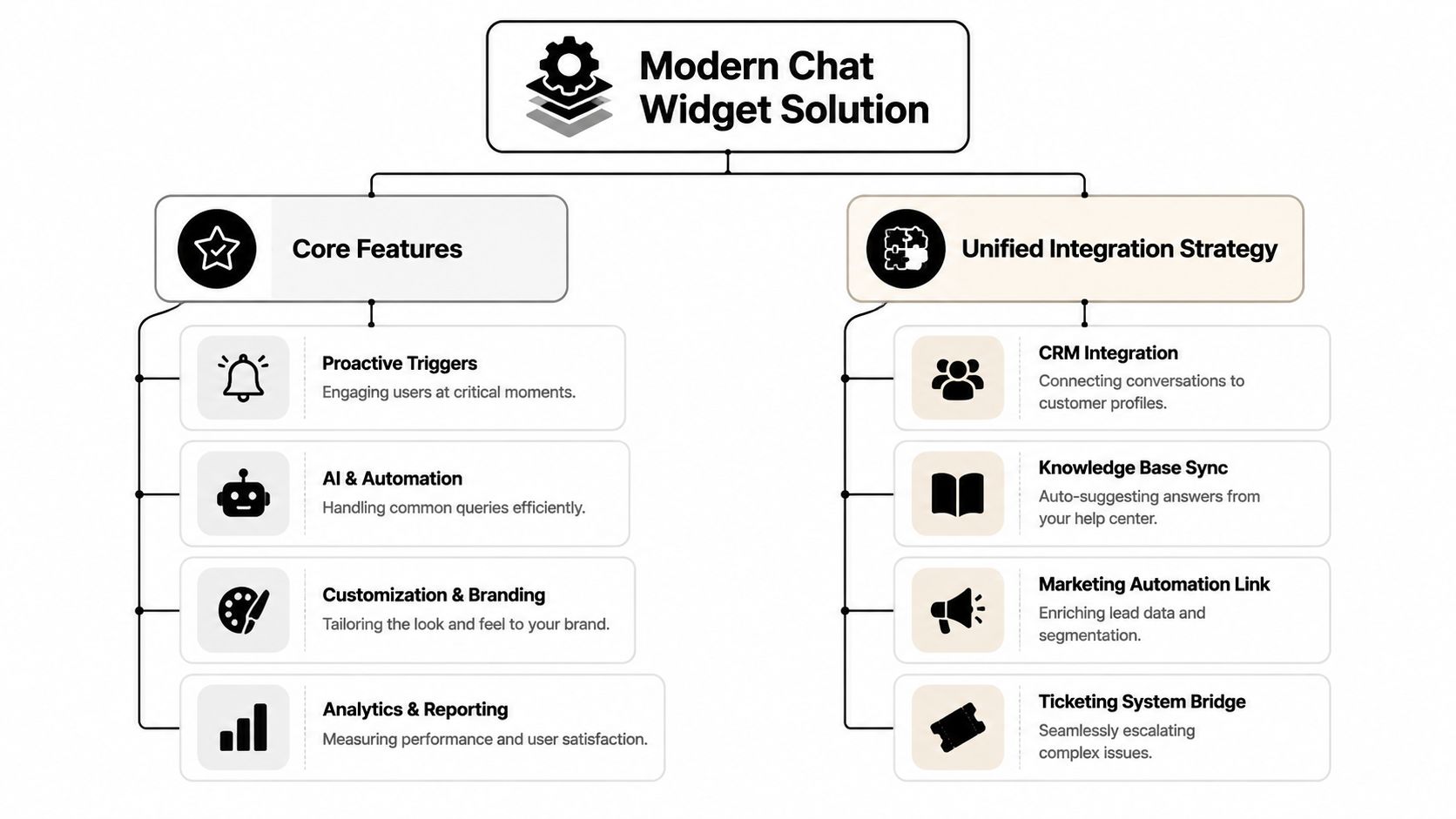
A modern platform needs more than branding controls and canned replies. The most important capabilities are structural.
The hidden problem with bolt-on integrations is latency and reliability. Every extra bridge introduces another handoff point, another queue, and another place where message ordering can go wrong.
According to ChatBot's discussion of chat widget infrastructure, industry analyses of large-scale SaaS customer-service platforms indicate that routing chat traffic through a single global edge network can reduce median first-message latency by 30–40% compared with origin-terminated HTTP polling. That finding matters because users feel delay immediately, even when teams think the system is “working.”
Slow chat doesn't just feel bad. It changes user behavior. People resend messages, abandon the thread, or jump to another channel.
For a team running support across website chat, Discord, Telegram, and Slack, a unified backend avoids duplicated message paths. Instead of web chat passing to one tool, then to another bridge, then to a community relay, the platform routes all channels through one conversation system.
A strong setup usually follows this pattern:
LayerWhat it should doWhat usually goes wrongWidget layerCapture intent and contextTeams overfocus on design and ignore routingConversation layerStore one thread across channelsEach channel keeps separate historyAutomation layerResolve common requests and triage complex onesRules are too broad or too brittleAgent layerGive humans full context for takeoverAgents only see the latest message
Product selection becomes strategic. Intercom, Zendesk, Crisp, and similar tools can handle parts of the workflow, especially for website-first support. But teams that run heavy community support need to look closely at whether the platform was built to unify public and private conversations across chat surfaces rather than merely attach a widget to a site.
For readers comparing approaches, this overview of omnichannel support and how to implement it is useful because it frames the problem at the system level. One example in that category is Mava, which connects web chat with Discord, Telegram, and Slack inside a shared support inbox.
That's the architectural difference that matters. A standalone widget is a feature. A unified conversation layer is infrastructure.
A chat widget can help users instantly or annoy them instantly. The difference usually comes down to deployment choices, not software settings alone.
Teams often spend weeks on styling and almost no time on interaction design. That's backwards. Placement, expectation-setting, and handoff logic shape the user experience far more than button color.
The widget doesn't need to dominate every page. It needs to appear where questions naturally occur.
That usually means product, pricing, onboarding, checkout, docs, and account areas. It may not need the same behavior on a blog archive or a low-intent landing page. Some pages need proactive prompts. Others just need a quiet launcher.
A practical deployment checklist for placement:
Users tolerate waiting when they understand what's happening. They get irritated when the system implies live availability and delivers a delayed async reply.
The widget should say whether users are talking to AI, live agents, or a blended system. It should also explain what happens for complex issues. If a request will move into a private ticket or another channel, that should be clear early.
Operator note: A short expectation-setting message prevents more frustration than a long welcome message.
This area is frequently under-designed. Those implementing it enable “escalate to human” and assume the problem is solved.
It isn't. A 2023 Customer Experience Index survey of 1,500 U.S. consumers found that 68% said they were frustrated when they had to repeat their issue after moving from chatbot to human, as referenced in this discussion of chatbot-to-human transitions.
The handoff should preserve:
Without that, the user experiences the bot and the human as two disconnected companies.
Teams working on better AI continuity should pay attention to their knowledge layer too. A bot can't hand off cleanly if its answers come from messy or outdated content. This guide to knowledge base integration is a useful reference for cleaning up that foundation.
Brand voice matters, but over-stylized bots often make support worse. Forced jokes, fake enthusiasm, and vague reassurance create friction when users want clarity.
A better approach is simple:
Plain language wins. Users remember whether the system solved the problem, not whether the bot had a clever name.
A strong chat rollout starts before code gets embedded. Teams need to decide what the widget is supposed to do, where it fits in the user journey, and which systems it must connect to.
This checklist keeps those decisions grounded:
The core takeaway is straightforward. The website widget should no longer be treated as a small add-on that lives apart from the rest of support. For community-driven companies, it works better as the front door to a unified conversation system that handles web chat, community channels, AI triage, and human support in one place.
Teams that need that model should choose a platform built for cross-channel continuity, not just a prettier chat bubble.
Mava helps community-driven teams run support across the website, Discord, Telegram, and Slack from one shared inbox, with AI answers and human handoff built into the same workflow. For teams that want a chat widget to act like real support infrastructure instead of an isolated add-on, Mava is worth a look.
.png)
.png)
.png)
