.png) Get Started
Get Started
A lot of teams are in the same spot right now. Users ask for help in a Discord channel, a moderator moves the conversation into DMs, someone else opens a ticket in a web widget, and the final answer ends up buried in a private thread that nobody can find next week.
That isn't a tooling shortage. It's a context problem.
Most buying guides for customer support tools still assume support starts in email and ends in a helpdesk. That model breaks once a company runs support inside community channels where conversations are public, fast, and spread across Discord, Slack, Telegram, web chat, and email. The hard part isn't adding another inbox. The hard part is preserving what already happened so the next agent, moderator, or AI system can act with full history instead of guessing.
Traditional helpdesks were built for a slower workflow. A customer sends an email. An agent replies. The ticket gets closed. That still works for some teams, but it starts to fail when support happens where users already gather and talk to each other.
Community-driven companies don't operate in neat queues. They deal with public posts, repeated questions, moderators stepping in manually, and users switching channels the moment an issue becomes sensitive. Most content about customer support tools misses that gap entirely. As noted in Process Shepherd's guide to customer service tools, most content focuses on feature lists but fails to explain how community-driven companies preserve context when conversations move from public chat to private channels.
A standard ticketing setup usually creates silos:
That split creates avoidable friction. Agents ask users to repeat themselves. Moderators copy and paste fragments between tools. Product teams lose the original wording of the problem. Knowledge base writers document the final answer but miss the context that made the question hard in the first place.
Practical rule: If a tool can't carry conversation history from the public moment of confusion to the private moment of resolution, it won't scale community support well.
This is why the debate between helpdesks and newer support models matters. Teams comparing systems often frame the choice as features versus simplicity, but the bigger distinction is workflow design. A useful breakdown of that difference appears in this comparison of community-led support vs help desks.
The best customer support tools don't just collect messages. They create a single source of truth across channels so everyone works from the same history.
That has direct implications for AI as well. AI can answer repetitive questions and route conversations efficiently, but only when it has reliable context. Teams exploring broader AI solutions for customer support should judge them on this point first. An AI layer on top of fragmented channels only automates confusion faster.
What works is simpler than most vendor pages make it sound. One shared inbox. One conversation record. Clear handoff from public to private support. Human moderators and automation operating in the same system. Anything less usually turns community growth into support chaos.
Teams often buy tools one request at a time. Someone wants live chat. Someone else wants a better ticket queue. A moderator asks for Discord support. Then an AI bot gets added on top. The result is a stack that grew by accident.
A better approach is to sort customer support tools by job, not by brand.
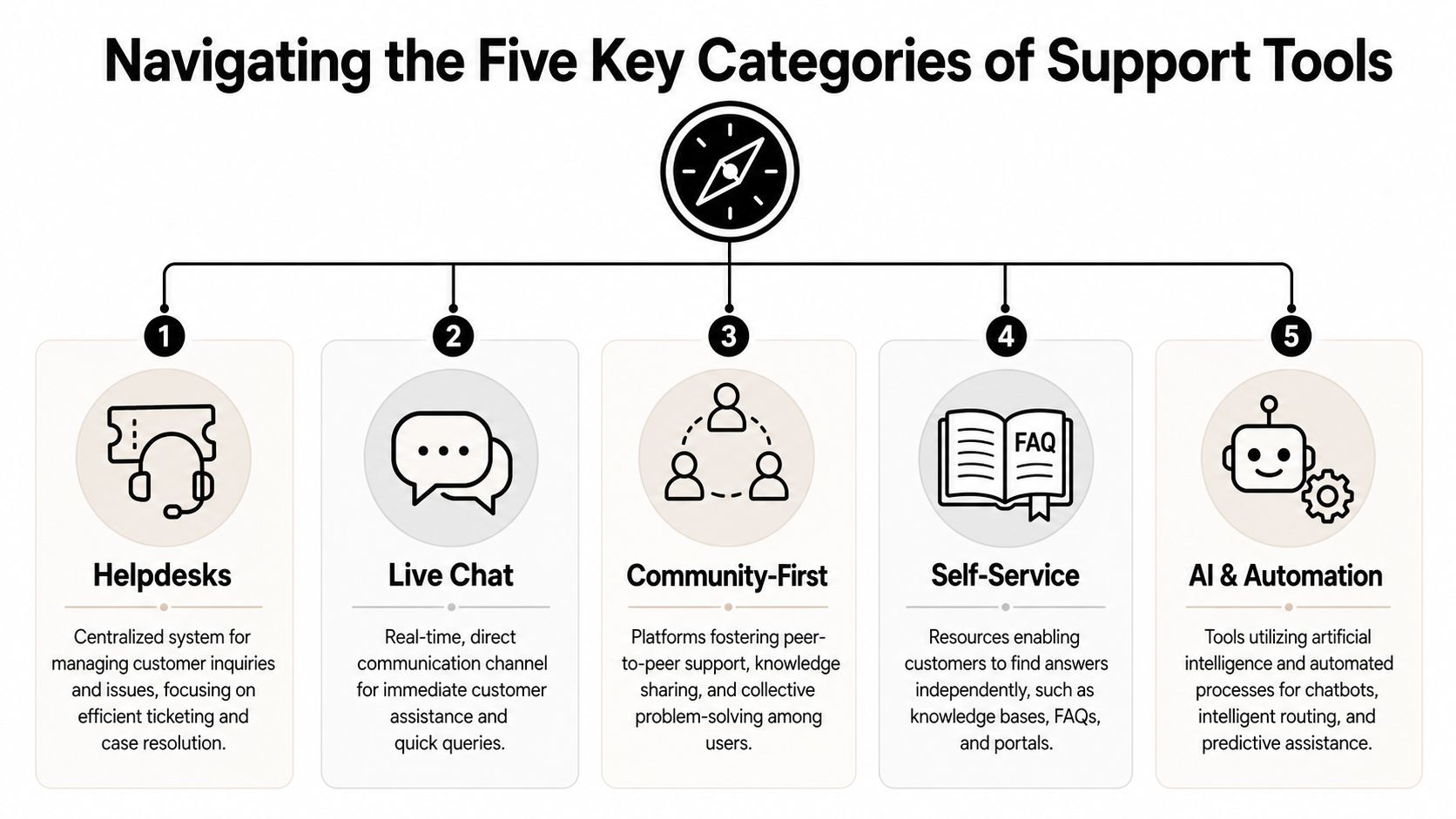
CategoryWhat it doesWhere it helpsWhere it falls shortHelpdesksActs like a central post office for inbound issuesEmail-heavy support, formal case tracking, SLAsOften awkward for fast-moving community conversationsLive chatGives users immediate real-time access to a support rep or botWebsite support, pre-sales questions, quick triageCan become fragmented if chat history isn't tied to broader support recordsCommunity-first platformsHandles support inside channels where users already gatherDiscord, Slack, Telegram, community-led productsNeeds strong moderation and context management to stay organizedSelf-serviceFunctions like a library of answers users can search themselvesDocumentation, FAQs, onboarding guidesFails when content is stale or disconnected from actual support flowAI and automationRoutes, summarizes, suggests answers, and handles repetitive requestsHigh-volume support, repetitive questions, off-hours coveragePerforms poorly when knowledge sources are messy or fragmented
A lot of teams assume one platform should do everything. Sometimes that works. More often, the stack performs better when each category plays a defined role.
For example:
That distinction matters because teams often overbuy in one category and underinvest in another. A company may have a powerful helpdesk but no clean path from Discord thread to ticket. Another may have excellent docs but no triage process when the docs don't solve the issue.
The right stack isn't the one with the most features. It's the one where each category has a clear job and the handoffs are clean.
Teams running mostly email support can center the stack on a helpdesk and knowledge base. Product-led SaaS teams usually lean harder on live chat plus self-service. Community-heavy teams need a different center of gravity.
For Discord, Slack, and Telegram support, the priority order usually flips:
That doesn't mean traditional tools are obsolete. It means the operating model changed. The stack should reflect where the customer starts the conversation, not where internal teams wish it began.
Feature lists often flatten important differences. Almost every vendor says it has ticketing, automation, analytics, and collaboration. That language is too broad to help a team choose well.
For a community-driven support operation, a few features aren't optional. They determine whether the team can scale without losing history, duplicating work, or burning out moderators.
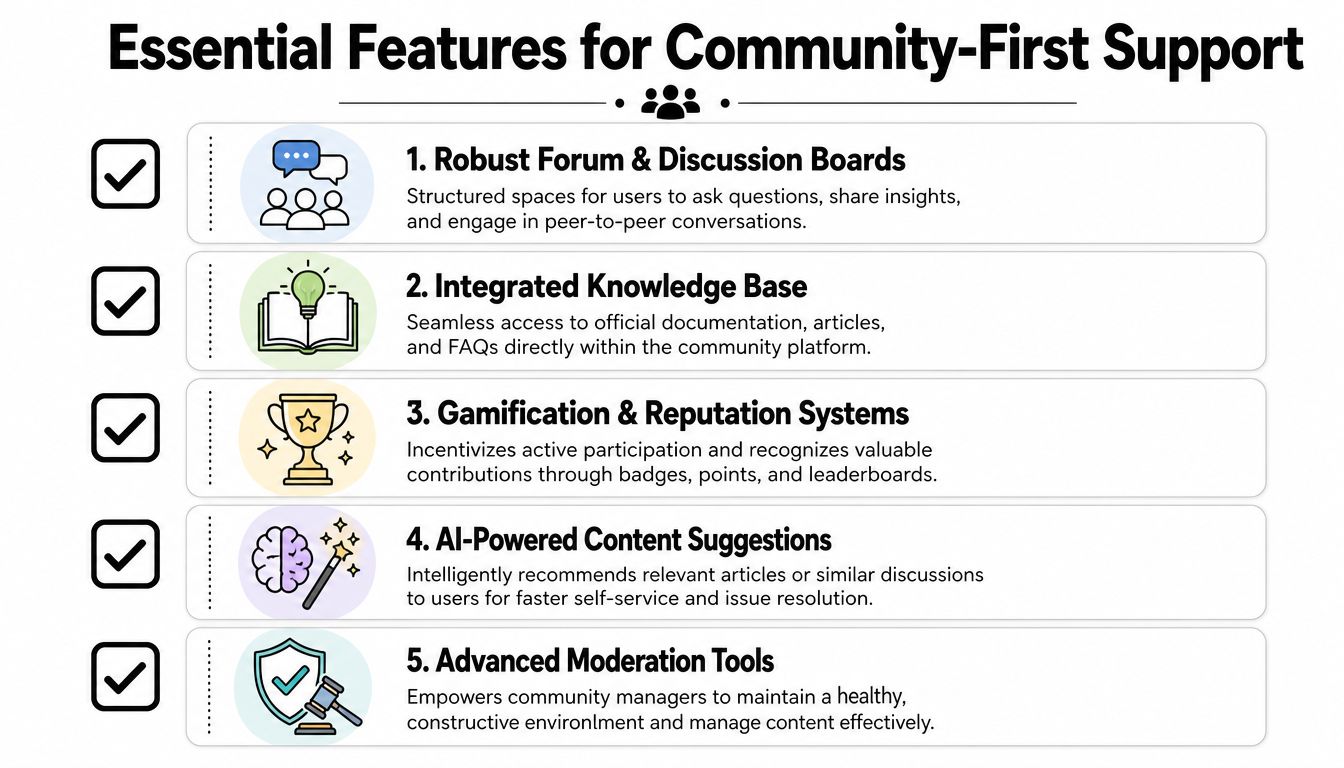
A lot of tools claim to offer a unified inbox. In practice, some only aggregate messages into one screen. That isn't enough.
A real unified inbox should do three things at once:
If a user reports a bug in a public Discord channel and later shares account details privately, the support team shouldn't have to stitch that together manually. The tool should already understand that both moments belong to the same conversation.
AI can help a lot in support, but the quality depends on what it's trained on. Community teams should look for systems that can learn from existing documentation, FAQs, help articles, and prior answers instead of forcing a rewrite from scratch.
What works:
What usually fails is the cosmetic bot. It greets users, asks a few scripted questions, and then drops a vague summary into a separate queue. That adds friction without reducing load.
Community support teams should treat AI as a context layer and triage layer first, not as a replacement for human judgment.
Community support isn't just service operations. It also includes trust, abuse handling, and channel hygiene. That makes moderation features part of support infrastructure, not a separate concern.
A useful reference point for teams thinking through policy design is AI Video Detector's safety framework, which highlights how operational systems need clear rules for escalation, review, and risk handling. The same principle applies in Discord and Telegram support. Tools should make it easy to separate a billing issue from harassment, spam, or account abuse.
When evaluating customer support tools for a community-first environment, the shortlist should include:
A team can work around missing cosmetic features. It can't work around missing context.
Most support migrations fail before rollout. The problem usually starts earlier, during evaluation, when teams buy software based on demos instead of workflows.
A useful buying process starts with current friction. Not the feature wishlist. Not the vendor comparison sheet. The actual points where conversations break, duplicate, or disappear.
Before comparing tools, map where support really happens today.
That audit should answer a few plain questions:
This exercise usually exposes the same pattern. Public channels generate the first signal. Private systems hold the official case. Nobody owns the full thread from start to finish.
A vendor page may list Discord, Slack, Telegram, web chat, and email integrations. That doesn't tell a buyer much by itself. The critical question is how those integrations behave under pressure.
A useful evaluation framework looks like this:
Evaluation areaGood signWarning signChannel intakeConversations from each channel land in one workflowEach integration creates a separate queueContext transferPublic thread history follows the ticketAgents only see the private portionTeam collaborationNotes, assignments, and statuses work across channelsInternal coordination happens in external toolsScalabilityThe setup still works when volume increasesThe process relies on manual copying and taggingReportingChannel performance can be compared in one placeMetrics are split by tool and hard to trust
A team that wants a broader framework for this model should look at how omnichannel customer support changes operating design. The central idea is simple. Users don't experience channels as separate systems, so internal teams shouldn't either.
The practical target is a workflow where a user can ask publicly, continue privately, and receive a resolution without repetition. Internally, the support team should be able to assign ownership, escalate to product or engineering, and close the loop in one record.
That usually means:
A stack is ready when the team can answer “What happened with this user?” without opening three systems and asking two coworkers.
Tool selection gets easier once that standard is clear. The right platform isn't the one with the longest feature grid. It's the one that fits the actual path a support conversation takes.
A support dashboard can look healthy while the actual user experience keeps breaking down. Response time drops, ticket volume stays manageable, and leaders still miss the underlying problem. The team cannot see whether issues are getting resolved with full context across Discord, Slack, and the web, or whether users are repeating themselves as conversations jump between tools.
That is the measurement standard that matters for a community-first stack.
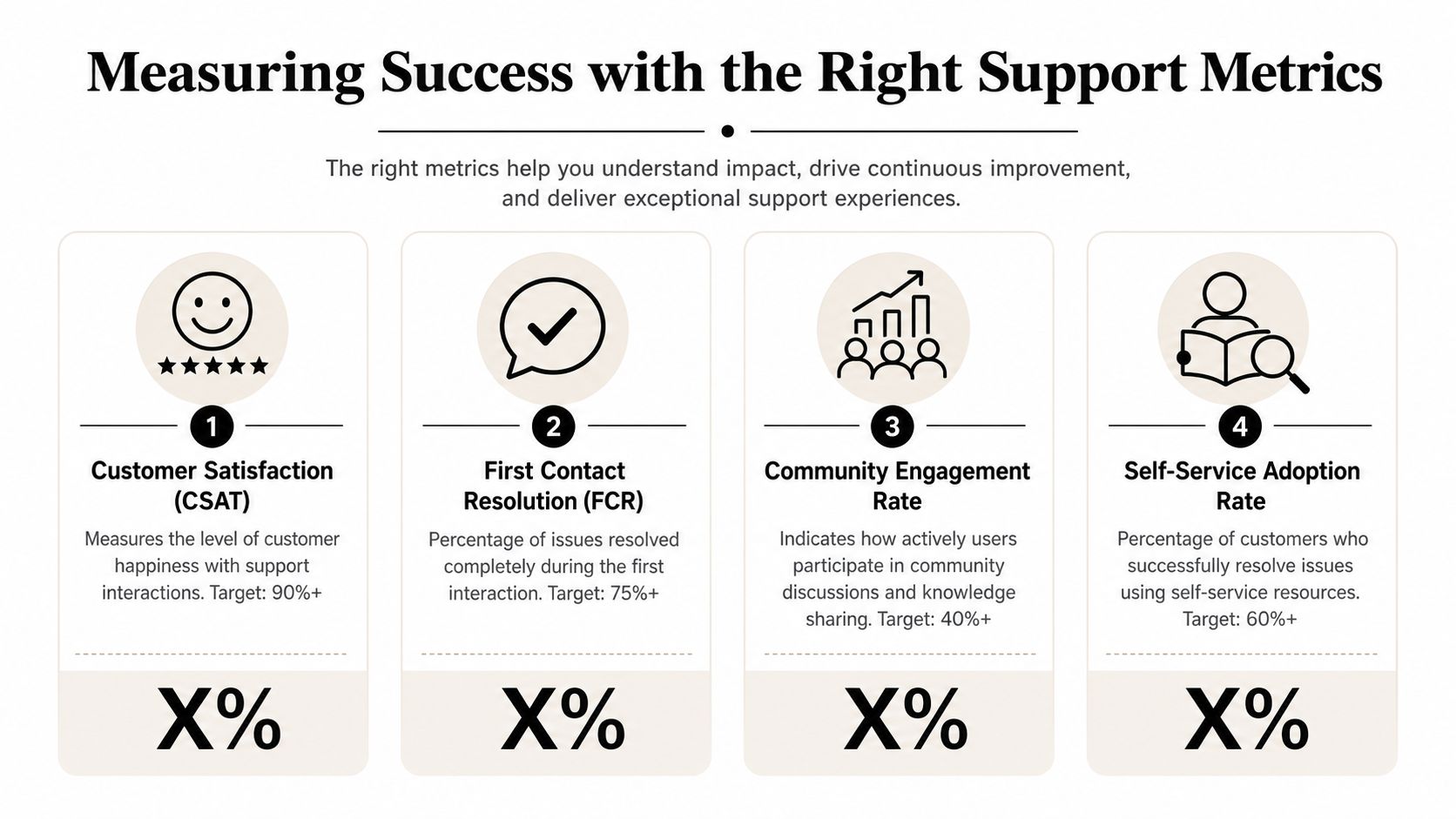
The strongest support teams track outcomes that reflect both resolution quality and workflow design.
Market growth numbers are less useful than workflow evidence. A large market does not tell a Head of Support whether agents can trace a conversation from a public Discord thread to a private follow-up without losing ownership or prior context.
Single metrics create bad behavior. Teams optimize for fast replies, then hide slow resolutions inside long back-and-forth threads or fragmented handoffs.
Pair the metrics instead:
I also recommend tracking one metric many teams skip. Measure how often a conversation changes channels before resolution, and whether the assigned owner changes with it. In community-led support, that is where a lot of operational waste hides.
The most useful metric points to a workflow problem the team can fix this week. If a number only makes the dashboard look better, it is not helping you run support.
A practical rollout usually starts with one problem. A team supports users in Discord and on its website, but moderators and agents don't share a single record. Public questions are visible. Private follow-up isn't. Repeated issues keep resurfacing because prior answers are hard to retrieve.
A community-first platform can solve that if it treats channels as one workflow instead of separate inboxes.
One straightforward setup uses Mava as the support layer for Discord and website chat. The team connects its channels to a shared inbox, imports existing documentation from places like a website, GitBook, or internal docs, and then routes conversations into one operating queue for moderators and support agents.
The important part isn't the setup screen. It's the workflow after setup.
A user asks a common question in Discord. The AI responds from the imported knowledge base if the answer is clear. If the issue needs account details or human review, the conversation moves into a private support flow without losing the public context that triggered it. The assigned human can see what the user already asked, what the AI answered, and what the community thread revealed.
That unified workflow changes support behavior in a few practical ways:
Here's a short product walkthrough that shows what this model looks like in action:
No support stack removes judgment calls. Teams still need clear rules for when to keep a conversation public, when to shift it private, who owns escalations, and how moderators coordinate with support or product.
But the stack should remove unnecessary friction. It should capture context automatically, keep collaboration inside the workflow, and make repeated questions easier to answer the next time.
That's the difference between tooling that merely receives tickets and tooling that helps a team run support as an integrated function across community and private channels.
Teams that support users across Discord, Telegram, Slack, web chat, and email need more than another ticket inbox. They need a system that keeps context intact from the first public question to the final resolution. Mava is one option built for that model, with a shared inbox, AI agents, and channel integrations designed for community-driven support workflows.
.png)
.png)
.png)
