.png) Get Started
Get Started
Installing a chat widget doesn't create a support experience. It creates an invitation to start a real-time conversation, and that invitation becomes a liability when nobody can answer quickly. For teams evaluating live chat for a website, the hard problem isn't embedding the box. It's designing the staffing model, response targets, routing logic, escalation rules, and reporting that keep chat useful when demand arrives all at once.
That distinction matters for SaaS companies and community-driven products. Website visitors often arrive with urgent questions about pricing, access, setup, billing, or a broken workflow. A delayed reply makes the business look unavailable at exactly the moment the visitor is deciding whether to continue. The practical standard is simple: treat chat as an operational system, not a decorative website feature.
The most popular advice says to add a widget, write a welcome message, and wait for conversations. That advice skips the part that breaks deployments: capacity planning. If roughly 2% to about 15% of visitors may start chats, as reported in live chat performance benchmarks from Freshworks, a visible widget can create a sudden stream of simultaneous work. A team that planned for occasional questions may find itself managing a live queue instead.
The risk is especially high on product pages, pricing pages, documentation, and login screens. Those pages attract visitors who are already trying to complete an action. They may ask a short question, but the question still demands immediate attention. Unlike email, chat conversations compete with one another in real time. One complicated account issue can occupy an agent while several new visitors wait.
A chat bubble communicates availability. If the interface says “We're here to help,” visitors reasonably expect a fast response. A widget that sits unanswered for several minutes doesn't behave like an email form. It behaves like a broken promise.
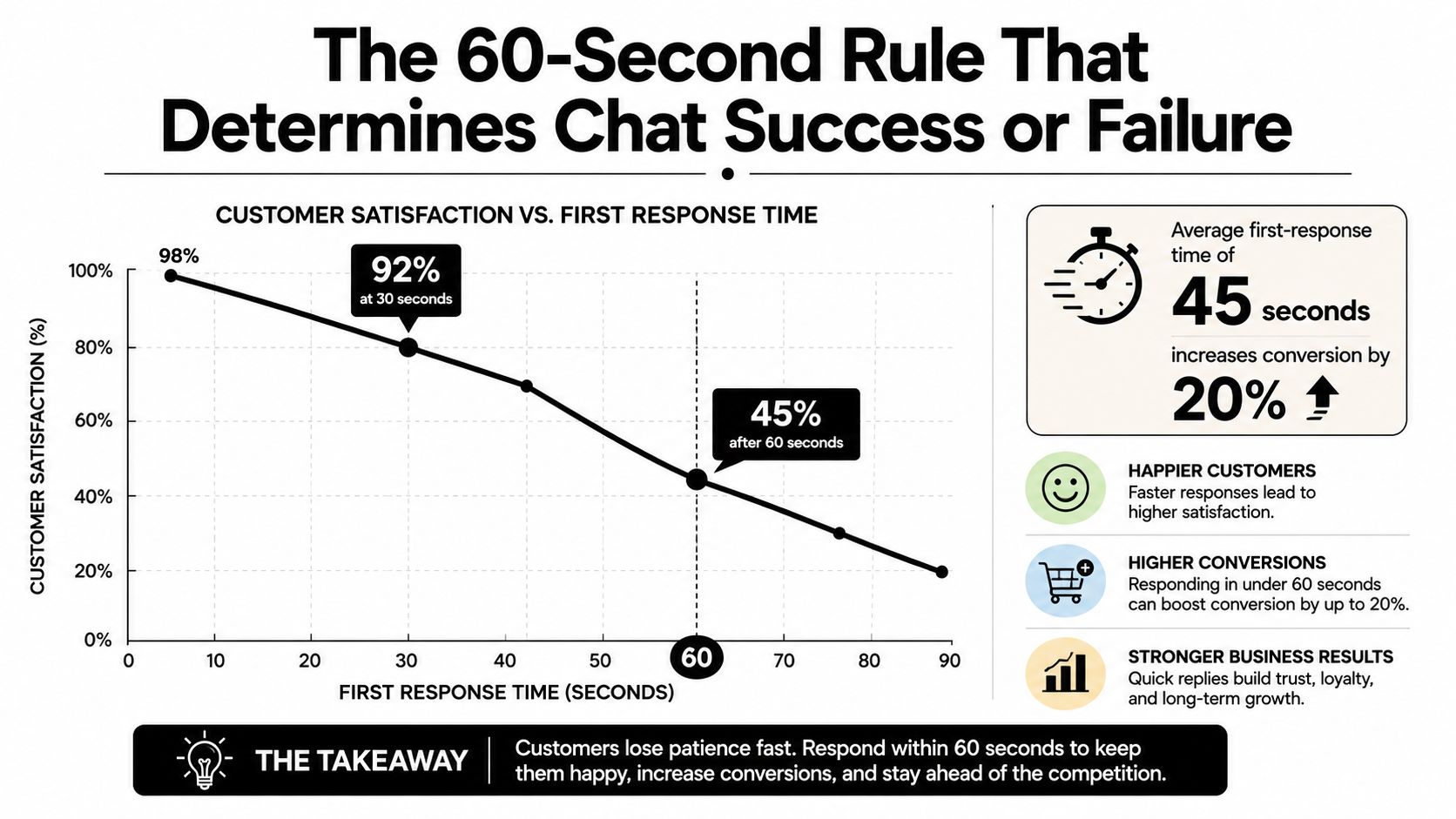
A live chat response-time benchmark identifies under 60 seconds as a strong blended operating target. Best-in-class teams aim for 0 to 15 seconds for AI-assisted replies and under 30 seconds for human replies, while performance beyond 2 minutes can make chat feel like delayed messaging. The exact target depends on the business, but the operating principle is consistent: speed must be designed before launch.
Practical rule: If a team can't cover the widget during a defined period, the widget should communicate its availability honestly or switch to an asynchronous contact path.
A sensible deployment starts with operational decisions, not branding choices:
AI triage helps absorb predictable questions, but it doesn't eliminate the need for humans. It changes where human attention goes. The system should answer routine questions, gather context, identify intent, and route exceptions before an agent joins. Without that structure, the team ends up paying the cost of real-time support without receiving the benefits of real-time resolution.
Live chat has crossed the line from experimental feature to established support infrastructure. The live chat market overview from Ringly reports a global live chat software market worth $1.1 billion in 2024, with a projection of $2.17 billion by 2033. The same reference notes that more than 515,000 websites currently have live chat embedded.
That combination matters more than either figure alone. A multi-billion-dollar software category signals sustained commercial investment, while the installed-base figure shows that businesses have already normalized real-time support on their websites. For a SaaS company, adding chat isn't an unusual experiment that requires customers to learn a new behavior. It's an interface many visitors already recognize.
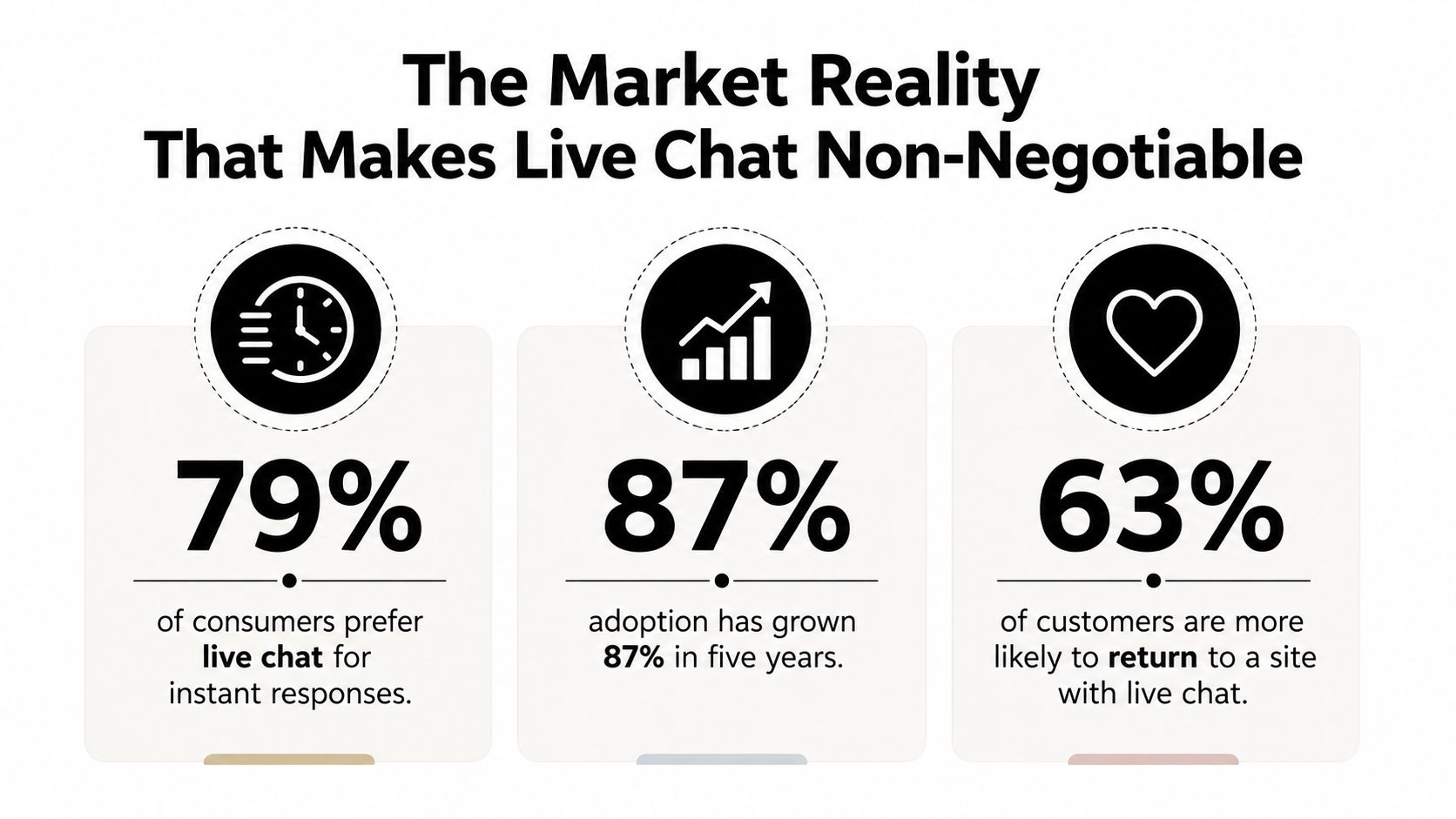
The adoption curve explains why older objections have weakened. A historical live chat adoption summary from GoSquared notes that only 25% of companies had implemented live chat for website customer service in a 2018 survey. The same source later reports that 53% of U.S. online adults used live chat to get help from a company in 2023.
That movement from minority adoption to broad consumer familiarity changes the competitive baseline. Visitors don't need to be persuaded that chat is legitimate. They're more likely to judge whether the company's implementation is fast, clear, and capable of handing off a complicated issue.
Younger users often prefer chat to phone calls, particularly when they're already working inside a browser or community platform. That preference fits the behavior of developer tools, gaming communities, Web3 products, and collaboration software, where users may want a quick answer without leaving their current workflow.
The market projection is a forecast, not a guarantee, but it points to a durable category with room to expand. Waiting for chat to become “more proven” no longer protects a business from risk. The more relevant question is whether the company can deploy it responsibly, with clear availability, reliable routing, and enough automation to protect response times.
Live chat can support sales, onboarding, troubleshooting, and community access. It can also expose weak documentation and unclear ownership faster than email does. That's useful diagnostic information, provided the team has the operating discipline to act on it.
A basic widget starts a conversation. A support system preserves context, assigns responsibility, and turns repeated questions into reusable knowledge. The difference becomes obvious when users contact a company through several places, such as a website, Discord, Slack, Telegram, or email.
The first requirement is a shared inbox. Every agent should see the conversation history, current status, assigned owner, customer identity, and internal notes. Without that shared view, two agents may answer the same person, or nobody may answer because each assumes someone else owns the thread.
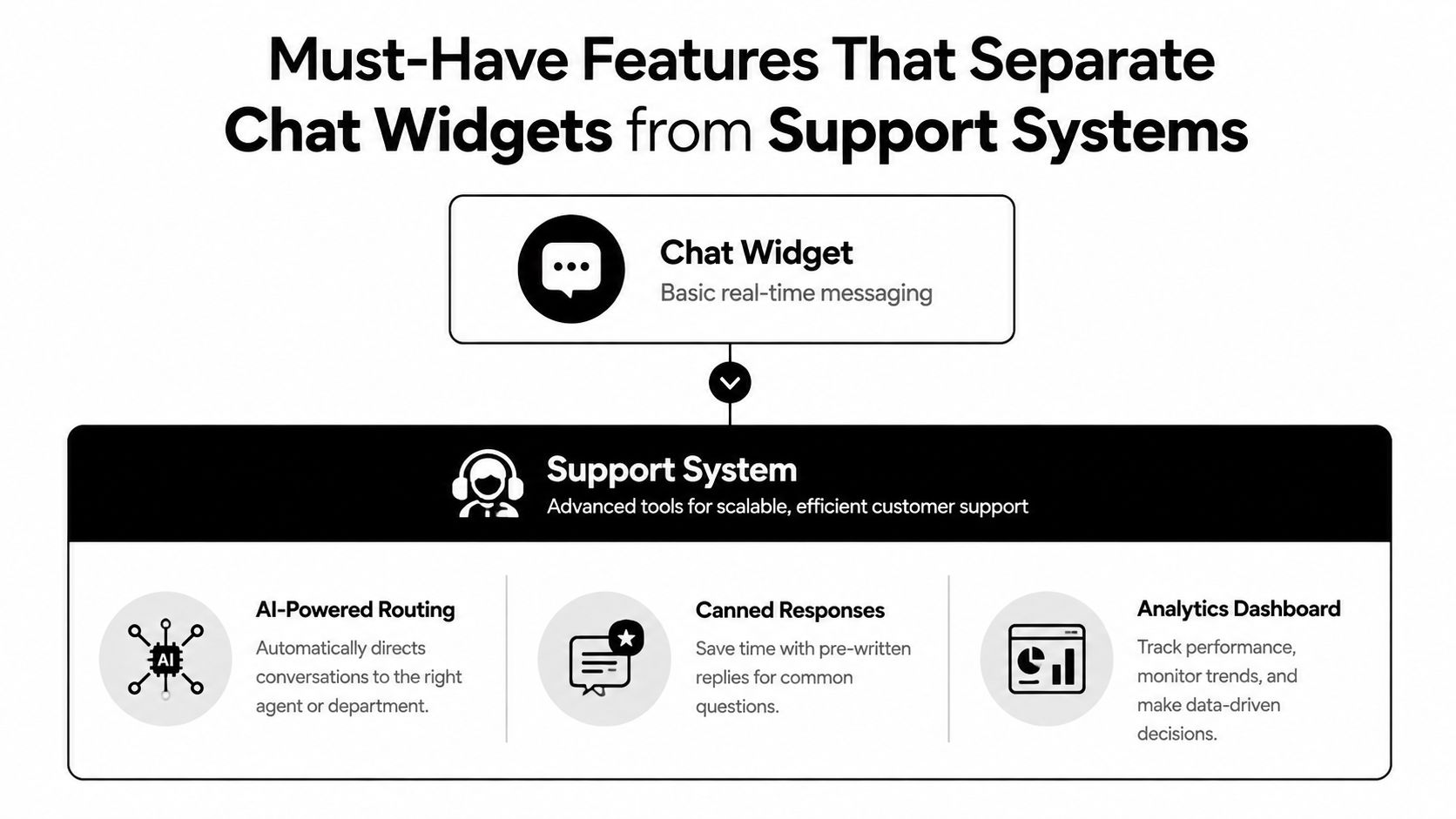
The most useful capabilities tend to work together rather than independently:
The system should also support conversation context across channels. A user who asks about an API error on the website and later posts the same issue in a Discord server shouldn't have to repeat the entire history. Identity matching and clear internal notes reduce that friction.
Automation works well for questions with stable answers. Examples include where to find documentation, how to reset an account, whether a feature exists, or which plan includes a capability. It performs poorly when the answer depends on account history, security verification, incident context, or a judgment call.
The practical design is a layered workflow. Automation identifies the topic and handles the obvious path. The system collects relevant details, then sends the conversation to a human when confidence is low, the request is sensitive, or the user asks for an agent. Analytics should show where automation helps and where it creates rework.
There are four practical ways to add live chat for a website. The right choice depends less on the widget's appearance than on the team's ability to maintain routing, identity, analytics, and escalation logic.
ApproachStrengthTrade-offEmbedded widgetFast deployment and low maintenanceLimited control over deeper workflowsCMS pluginConvenient for a managed websiteFeatures and integrations may be constrainedCustom API or SDKStrong control over user experience and data flowRequires engineering ownership and ongoing maintenanceThird-party support platformFaster access to inboxes, automation, and analyticsAdds vendor dependency and subscription cost
An embedded widget suits a small team that needs a clear contact path without a complex support operation. It's often the fastest way to validate demand. The weakness appears when the team needs advanced routing, multiple channels, custom identity matching, or detailed reporting.
CMS plugins can work well when the website already runs on a platform with a mature extension ecosystem. They tend to reduce implementation effort, but the team should verify whether the plugin supports the channels and workflow states the support organization uses.
Custom APIs and SDKs offer the most flexibility. A product team can place chat inside an application, pass account context, control the interface, and connect conversations to internal systems. That control also creates responsibility for authentication, upgrades, monitoring, accessibility, analytics, and failure handling.
A third-party platform shifts much of that work to a vendor. The trade-off is less control over the underlying system and the need to evaluate data handling, export options, pricing changes, and integration limits. For community-driven companies, a platform that combines web chat with Discord, Slack, Telegram, and email may reduce fragmentation more effectively than a polished website-only widget.
A platform such as Mava's web chat product is relevant when the team needs embedded web chat alongside broader community support workflows. It should be evaluated against alternatives using actual routing, coverage, and reporting requirements rather than a feature checklist alone.
Response time determines whether chat feels live. It directly affects whether a visitor continues the conversation, waits for an agent, or leaves the page. For community-driven companies, even a small visitor chat rate can create a queue the team cannot cover manually, especially during launches, incidents, and regional handoffs.
The practical target is a blended first response under 60 seconds, supported by 0 to 15 second AI-assisted replies and human responses under 30 seconds, according to the response-time benchmark source. After 2 minutes, the interaction starts to feel like asynchronous messaging rather than live support. AI acknowledgement and intent collection protect that first minute while the queue determines who should handle the conversation.
Freshworks' satisfaction figures, covered earlier, show why the target matters. Freshworks reports live chat satisfaction at 73%, compared with 61% for email and 44% for phone. Teams should revisit those figures when setting service levels, then measure whether their own visitors receive a useful first response within the 60-second window.
Averages conceal the periods that break service. Review first response by hour, channel, intent, and queue. Track what happens when visitor chat demand reaches the upper end of the expected range, rather than staffing only for a quiet day.
Useful controls include:
The target is fast, accurate movement toward resolution.
A quick but incorrect answer creates another contact and weakens trust. AI should acknowledge the visitor, collect relevant context, and identify intent. The human then receives enough information to resolve the issue without restarting the conversation. This division keeps the first response fast without pretending that every request can be automated.
AI triage works when it makes a conversation easier for the human who receives it. It fails when it acts as a wall between the customer and the support team.
A practical flow begins when the visitor opens chat. The assistant identifies intent, searches approved documentation, and answers a straightforward question if the answer is clear. For example, a request about locating an API guide, changing a notification setting, or understanding a plan feature can often be resolved without an agent.
The assistant should route the conversation when the request requires private account data, an exception to policy, technical investigation, or emotional judgment. “The documentation says this should work, but the account is still locked” is not a knowledge-base question. It's an account-specific investigation.
A useful handoff passes more than a transcript. It should include:
This structure prevents the agent from asking the user to repeat information already provided. It also makes escalation measurable. Teams can inspect which intents produce frequent handoffs, whether the AI is escalating too early, and whether the knowledge base needs a clearer article.
AI should use the organization's existing sources, such as a website, GitBook, Google Docs, or internal help center, with explicit controls for outdated and conflicting material. Tone matters, but friendliness can't compensate for an unsupported answer. The assistant should say when it lacks enough information and offer a human path without making the user argue for access.
For community-driven companies, deployment across web chat and community channels creates a consistent entry point while preserving the channel where users already spend time. Mava's overview of AI customer service bots provides a relevant example of the AI-assisted model, where repetitive questions are handled automatically and exceptions move to human agents.
A vendor demo can make every platform look capable. The evaluation should focus on the moments that expose operational weakness: a sudden queue, a cross-channel repeat contact, an uncertain AI answer, or an agent handoff during an incident.
Start with the workflow rather than the feature list. Ask the vendor to demonstrate a visitor opening web chat, receiving an automated response, requesting a human, moving into a shared inbox, and reaching the correct queue with the full context intact.
Teams comparing support products can use a customer support software comparison to frame the evaluation, then validate every claim inside a live trial. A separate staffing agency software comparison can help staffing-focused organizations assess workflow and collaboration requirements beyond chat itself.
Watch for a vendor that hides response-time data, treats AI containment as the only success metric, or makes human escalation difficult. A system that resolves conversations by preventing users from reaching an agent may reduce reported volume while increasing frustration.
Also test the uncomfortable paths. Send an ambiguous question, provide incomplete information, reopen a resolved conversation, and ask for a human. Check whether the platform preserves context and gives agents a usable queue. Free plans can be useful for validation, while higher tiers may matter when unlimited agents, advanced automation, or broader channel coverage become necessary.
A successful deployment starts with a narrow set of intents, a documented escalation policy, and a staffed coverage window. Teams should review the queue frequently, improve the knowledge base from real conversations, and expand automation only when the handoff experience remains clear.
Mava provides embedded web chat, a unified inbox, AI-assisted answers, human handoffs, and support workflows across community and web channels. Visit Mava to evaluate whether its shared support infrastructure fits the team's response-time and scaling requirements.
.png)
.png)
.png)
